
Dock Scheduling System Data Model: Entities and Fields for Warehouse Management

A warehouse handles many activities every day, including receiving shipments, unloading trucks, checking inventory, preparing orders, and loading outbound deliveries. When several trucks arrive at the same time, poor coordination can lead to long queues, occupied dock doors, delayed shipments, and inefficient use of warehouse staff.
A dock scheduling system helps warehouse teams organize these activities by assigning appointments, tracking vehicle arrivals, and coordinating loading and unloading operations. To make this process reliable, the system needs a well-designed data model.
The dock scheduling system data model entities fields warehouse management concept focuses on the records a scheduling system needs, the information stored in each record, and the relationships that connect appointments, dock doors, carriers, shipments, and warehouse locations.
This guide explains the essential entities, recommended fields, relationships, and implementation practices for designing a dock scheduling data model.
What Is a Dock Scheduling System Data Model?
A dock scheduling system data model defines how information about warehouse appointments and dock operations is organized, stored, and connected.
It identifies the main entities in the system, the fields that describe each entity, and the relationships between those entities.
For example, a warehouse appointment may be associated with a carrier, a shipment, a warehouse, and a specific dock door. Each record serves a different purpose, but the relationships allow the scheduling system to display the complete operational picture.
A typical data model may include:
- Warehouse and facility records
- Dock door and loading point records
- Carrier and transportation records
- Shipment and load information
- Appointment schedules and status
- Vehicle arrival and departure events
- Users, permissions, and audit records
The exact structure depends on the warehouse’s operating requirements and the software architecture. However, separating these entities makes the system easier to maintain, integrate, and expand.
For example, SAP documentation describes dock appointments as scheduled and executed periods associated with a warehouse door and a transportation unit. Its appointment scheduling architecture also distinguishes docking locations, loading points, gates, and yards. These concepts provide a useful reference for designing a general-purpose model.
Why Does Warehouse Management Need a Dock Scheduling Data Model?
A warehouse management system (WMS) coordinates inventory and warehouse activities. A dock scheduling system focuses more specifically on the time slots, physical dock resources, and transportation activities required to receive or dispatch goods.
These systems may operate independently or exchange information through integrations.
A well-structured data model helps solve several operational problems.
1. Preventing Dock Scheduling Conflicts
If two trucks are assigned to the same dock door during overlapping periods, warehouse operations can be disrupted.
The data model should store the appointment start time, end time, assigned dock, and appointment status. Scheduling rules can then check whether the requested time slot conflicts with an existing active reservation.
2. Improving Appointment Visibility
Warehouse planners need to see which appointments are requested, confirmed, delayed, in progress, completed, or cancelled.
A consistent appointment status field allows the system to track these changes and provide a clear schedule for warehouse staff and carriers.
3. Connecting Appointments With Shipments
A dock appointment is not always the same as a shipment. One appointment may relate to a shipment, a transportation unit, or several associated shipment references, depending on the operating process.
Keeping these records separate allows shipment details to change without losing the appointment history.
4. Supporting Warehouse Management Integration
The scheduling system may need information from an existing WMS, enterprise resource planning (ERP) platform, or transportation management system (TMS).
A consistent data model makes it easier to exchange warehouse identifiers, shipment references, carrier details, and appointment updates.
SAP documents integration options for dock appointment scheduling with systems such as SAP Extended Warehouse Management and SAP Transportation Management.
Core Entities in a Dock Scheduling System
The first step in designing the data model is to identify the main entities.
An entity represents a distinct business object or operational record. A field stores a particular attribute of that object.
The following entities form a practical starting point for a warehouse dock scheduling application.
| Entity | Purpose |
|---|---|
| Warehouse | Stores information about a warehouse or distribution center |
| Dock Door | Represents a physical loading or unloading door |
| Carrier | Stores information about transportation companies |
| Vehicle | Identifies trucks, trailers, or other transportation equipment |
| Shipment | Describes goods being received or dispatched |
| Dock Appointment | Records a scheduled visit and its time slot |
| Appointment Event | Records operational events such as arrival and departure |
| User | Identifies employees and other authorized system users |
| Audit Log | Preserves a record of important changes |
Not every implementation requires a separate table for every entity. For example, a smaller warehouse may store vehicle information directly within an appointment record. A larger operation will often benefit from separating vehicles, trailers, shipments, and appointment events.
1. Warehouse Entity and Its Fields
The Warehouse entity represents a physical facility where goods are received, stored, processed, or dispatched.
A business operating multiple distribution centers should maintain a separate warehouse record for each facility.
Recommended fields include:
| Field | Data type | Description |
|---|---|---|
| warehouse_id | UUID or BIGINT | Primary key identifying the warehouse |
| warehouse_code | VARCHAR | Unique business identifier |
| warehouse_name | VARCHAR | Name of the facility |
| address | VARCHAR or structured address | Physical location |
| timezone | VARCHAR | Local time zone used for scheduling |
| operating_status | ENUM or VARCHAR | Active, inactive, or temporarily closed |
| created_at | TIMESTAMP | Record creation time |
| updated_at | TIMESTAMP | Last modification time |
The warehouse_id field should act as the primary key. Other entities can reference it to identify the facility where an appointment or dock operation takes place.
The time zone is particularly important for warehouses operating across multiple regions. Store timestamps consistently, preferably as UTC instants, and display appointment times in the warehouse’s local time zone.
2. Dock Door Entity and Its Fields
The Dock Door entity represents a physical door used for receiving or dispatching shipments.
Different doors may have different capabilities. One may support refrigerated trailers, while another may be designed for general freight or specific vehicle sizes.
Recommended fields include:
| Field | Data type | Description |
|---|---|---|
| dock_id | UUID or BIGINT | Primary key for the dock door |
| warehouse_id | UUID or BIGINT | Warehouse containing the door |
| dock_code | VARCHAR | Door identifier, such as DOCK-01 |
| dock_name | VARCHAR | Human-readable door name |
| dock_type | VARCHAR | Receiving, shipping, or dual-purpose |
| supported_load_types | Related table or array | Compatible load categories |
| operating_status | VARCHAR | Available for scheduling, closed, or inactive |
| max_vehicle_size | VARCHAR or numeric attributes | Vehicle compatibility restrictions |
| created_at | TIMESTAMP | Record creation time |
The warehouse_id field connects each dock door to its warehouse.
A dock door should not be treated as available simply because it has no confirmed appointment. The scheduling engine must also consider operating hours, maintenance closures, appointment status, compatibility restrictions, and any required preparation or cleanup time.
3. Carrier Entity and Its Fields
A carrier is a company responsible for transporting goods to or from a warehouse.
Carrier records help the scheduling system identify transportation partners and associate their shipments with appointments.
Recommended fields include:
| Field | Data type | Description |
|---|---|---|
| carrier_id | UUID or BIGINT | Primary key for the carrier |
| carrier_code | VARCHAR | Internal or external carrier identifier |
| carrier_name | VARCHAR | Company name |
| contact_name | VARCHAR | Main contact person |
| contact_email | VARCHAR | Contact email address |
| contact_phone | VARCHAR | Contact telephone number |
| status | VARCHAR | Active or inactive |
| created_at | TIMESTAMP | Record creation time |
Use a stable carrier identifier rather than relying on the company name alone. Names may change or appear in different formats across connected systems.
Access controls should also determine which appointments a carrier can view, create, or modify.
4. Vehicle Entity and Its Fields
The Vehicle entity describes the truck, trailer, or transportation unit associated with a warehouse visit.
Separating vehicles from appointments is useful when the same carrier operates multiple vehicles or when a trailer changes between scheduled visits.
Recommended fields include:
| Field | Data type | Description |
|---|---|---|
| vehicle_id | UUID or BIGINT | Primary key for the vehicle |
| carrier_id | UUID or BIGINT | Associated carrier |
| vehicle_number | VARCHAR | Fleet or vehicle identifier |
| license_plate | VARCHAR | Vehicle registration identifier |
| trailer_number | VARCHAR | Trailer identifier, if applicable |
| vehicle_type | VARCHAR | Truck, refrigerated trailer, flatbed, or other type |
| capacity | DECIMAL | Configured capacity, if required |
| status | VARCHAR | Active, inactive, or unavailable |
For operations that track tractors and trailers separately, use distinct Vehicle and Trailer entities rather than placing all equipment identifiers in one table.
This separation can improve tracking when trailers are dropped in the yard and collected later by different tractors.
5. Shipment Entity and Its Fields
A Shipment entity describes the goods associated with an inbound or outbound warehouse movement.
Shipment information helps warehouse staff prepare for the appointment, estimate handling requirements, and coordinate receiving or dispatch activities.
Recommended fields include:
| Field | Data type | Description |
|---|---|---|
| shipment_id | UUID or BIGINT | Primary key for the shipment |
| warehouse_id | UUID or BIGINT | Destination or originating warehouse |
| shipment_reference | VARCHAR | External shipment identifier |
| direction | VARCHAR | Inbound or outbound |
| order_reference | VARCHAR | Purchase order, sales order, or related reference |
| expected_pallets | INTEGER | Expected pallet quantity |
| expected_weight | DECIMAL | Expected shipment weight |
| load_type | VARCHAR | Freight or handling classification |
| shipment_status | VARCHAR | Planned, ready, dispatched, received, or other defined state |
| created_at | TIMESTAMP | Record creation time |
Avoid using the shipment status as a substitute for the appointment status. A shipment may be ready while its appointment is still awaiting confirmation, or an appointment may be completed while downstream receiving checks remain open.
If an appointment can include multiple shipments, create an AppointmentShipment association table rather than storing a single shipment identifier in every appointment.
6. Dock Appointment Entity and Its Fields
The Dock Appointment entity is the central component of the data model.
It records the scheduled warehouse visit, its planned time slot, the assigned dock resource, and the appointment’s operational state.
A practical appointment record can include the following fields:
| Field | Data type | Description |
|---|---|---|
| appointment_id | UUID or BIGINT | Primary key for the appointment |
| warehouse_id | UUID or BIGINT | Warehouse receiving the visit |
| dock_id | UUID or BIGINT, nullable | Assigned dock door |
| carrier_id | UUID or BIGINT | Associated carrier |
| vehicle_id | UUID or BIGINT, nullable | Assigned vehicle |
| appointment_reference | VARCHAR | Human-readable reference |
| direction | VARCHAR | Inbound or outbound |
| scheduled_start | TIMESTAMP | Planned start time |
| scheduled_end | TIMESTAMP | Planned end time |
| actual_arrival | TIMESTAMP, nullable | Recorded arrival time |
| actual_start | TIMESTAMP, nullable | Actual start of dock activity |
| actual_end | TIMESTAMP, nullable | Actual end of dock activity |
| status | VARCHAR | Requested, scheduled, arrived, in progress, completed, no-show, or cancelled |
| created_by | UUID or BIGINT | User who created the appointment |
| created_at | TIMESTAMP | Record creation time |
| updated_at | TIMESTAMP | Last modification time |
These fields help warehouse staff compare planned activity with actual performance.
For example, if a truck is scheduled to arrive at 9:00 AM but reaches the facility at 9:40 AM, the system can record the delay without overwriting the original appointment time.
Actual dock occupancy should be measured using the relevant operational timestamps, not inferred from the planned schedule alone.
Important appointment design rules
A robust implementation should enforce several rules:
- The scheduled end time must be later than the scheduled start time.
- The warehouse, carrier, and other required references must point to valid records.
- The assigned dock must belong to the relevant warehouse.
- The selected dock must support the required load and vehicle type.
- Conflicting active reservations must be prevented according to the warehouse’s scheduling policy.
- Cancelled appointments should remain available for reporting and audit purposes.
A dock scheduling system should also account for reservation buffers. If a truck needs 60 minutes for unloading and 15 minutes for dock preparation afterward, the resource may need to be reserved for longer than the visible appointment duration.
7. Appointment Event Entity and Its Fields
A single appointment record stores the current state of a visit, but it may not fully explain how that visit progressed.
An Appointment Event entity provides a historical record of operational events.
| Field | Data type | Description |
|---|---|---|
| event_id | UUID or BIGINT | Primary key for the event |
| appointment_id | UUID or BIGINT | Associated appointment |
| event_type | VARCHAR | Arrival, docked, unloading started, completed, or departed |
| event_time | TIMESTAMP | Time the event occurred |
| recorded_by | UUID or BIGINT, nullable | User or system responsible for recording it |
| source | VARCHAR | Manual entry, gate system, sensor, or integration |
| notes | TEXT, nullable | Additional operational information |
This structure allows the system to reconstruct the sequence of events for an appointment.
It also supports performance reporting, such as average waiting time, unloading duration, and departure delays.
For reliable reporting, distinguish between the time an event occurred and the time the system received or recorded it. This matters when information arrives late from a mobile device or an external integration.
8. User and Audit Log Entities
The User entity identifies the people who interact with the scheduling system.
Recommended user fields include:
user_idfull_nameemailrolewarehouse_id, where applicableaccount_statuscreated_at
Roles may include warehouse administrator, dock scheduler, receiving supervisor, carrier user, and read-only auditor.
The Audit Log entity records important changes, such as appointment creation, rescheduling, cancellation, and dock reassignment.
Recommended audit fields include:
audit_identity_typeentity_idactionchanged_bychanged_atprevious_valuesnew_values
Audit records should preserve meaningful change history without relying solely on the appointment’s current field values. Access to driver contact information and other sensitive operational data should be restricted to authorized users.
How the Entities Relate to Each Other
After identifying the entities and fields, define the relationships between them.
A typical relational model uses primary keys to identify records and foreign keys to connect related records.
The main relationships are:
- One warehouse can contain many dock doors.
- One warehouse can have many appointments.
- One carrier can be associated with many appointments.
- One vehicle can participate in many visits over time.
- One appointment can have many operational events.
- One appointment can be associated with multiple shipments through an association table.
- One user can create or modify many appointments.
- One appointment can have multiple audit entries.
These relationships reduce unnecessary duplication and make reporting easier.
For example, if a carrier’s contact information changes, the system can update the Carrier record instead of changing every historical appointment.
For an official product-specific example, consult SAP’s dock appointment scheduling documentation, which describes docking locations, loading points, gates, yards, and integration with warehouse and transportation systems.
For a practical explanation of tables, primary keys, foreign keys, and database relationships, see our guide to the dock scheduling database schema.
Example: A Simple Dock Scheduling Database Model
Consider a distribution center with three loading doors and several carriers.
A carrier requests an inbound appointment for a shipment expected to require one hour of unloading. The scheduling system checks the warehouse’s operating hours, compatible doors, existing reservations, and the requested time slot.
The resulting records could look like this:
Warehouse
| warehouse_id | warehouse_code | warehouse_name |
|---|---|---|
| 101 | WH-NORTH | North Distribution Center |
Dock Door
| dock_id | warehouse_id | dock_code | dock_type |
|---|---|---|---|
| 201 | 101 | DOCK-01 | Receiving |
| 202 | 101 | DOCK-02 | Receiving |
Carrier
| carrier_id | carrier_name |
|---|---|
| 301 | Example Freight Ltd. |
Appointment
| appointment_id | warehouse_id | dock_id | carrier_id | status |
|---|---|---|---|---|
| 401 | 101 | 201 | 301 | Scheduled |
These records are illustrative rather than real operational data. The appointment table references the warehouse, dock, and carrier using their identifiers.
When the truck arrives, the system can record the arrival time and create an Appointment Event. When unloading begins, another event records the start of dock activity. Also, when the truck departs, the system records the final event and updates the appointment status.
This approach provides both a current operational view and a historical record of the visit.
Data Modeling Best Practices for Warehouse Dock Scheduling
Use consistent primary and foreign keys
Each entity should have a stable primary key. Related records should use foreign keys wherever appropriate.
Avoid relying exclusively on human-readable references, such as dock names or shipment numbers, because they may be renamed or reused by external systems.
Prevent overlapping reservations
A simple database check for duplicate start times is not enough to prevent all scheduling conflicts.
The scheduling logic must evaluate time intervals, reservation buffers, resource compatibility, and the appointment states that consume capacity. Where concurrent requests are possible, use appropriate transaction handling, database constraints, or locking to prevent two requests from reserving the same capacity simultaneously.
Keep planned and actual timestamps separate
Never overwrite the planned start time simply because a truck arrived late.
Store scheduled and actual times separately so managers can measure delays, resource utilization, and handling performance accurately.
Use controlled appointment statuses
Define valid status transitions. For example, an appointment might move from Requested to Scheduled, then Arrived, In Progress, and Completed.
Cancellation and no-show handling should also be explicit. The exact transition rules depend on the warehouse’s operating policy.
Store timestamps consistently
Use a consistent timestamp strategy across the database and integrations. UTC timestamps with conversion to the warehouse’s local time zone are a common approach.
The system should handle daylight-saving changes and avoid confusing local appointment times with UTC values.
Integrate with the warehouse management system
If the WMS already owns warehouse, shipment, or inventory information, decide which system is authoritative for each entity.
The scheduling platform may manage appointment times while the WMS manages receiving and inventory transactions. Integration rules should define how updates are exchanged, how duplicates are detected, and how failures are reconciled.
Preserve operational history
Store event history and important changes for auditing and performance analysis.
Avoid deleting completed or cancelled appointments simply to keep the active schedule clean. Archive old records according to operational and regulatory retention requirements.
How to Connect the Data Model With a Warehouse Management System
A dock scheduling system becomes more useful when it shares relevant data with other warehouse applications.
A typical integration process includes the following steps.
Step 1: Identify the authoritative system. Determine whether the WMS, ERP, TMS, or scheduling application owns each record.
Step 2: Map entity identifiers. Define how warehouse IDs, carrier IDs, shipment references, and dock IDs correspond across the systems.
Step 3: Define the integration events. Examples include appointment requested, appointment confirmed, truck arrived, dock activity started, and appointment completed.
Step 4: Validate incoming information. Reject or flag invalid dock references, incompatible load types, duplicate requests, and incorrect timestamps.
Step 5: Handle failures and retries. Use unique external references or idempotency keys where supported, so retrying a request does not create duplicate appointments.
Step 6: Monitor synchronization. Log integration errors and reconcile appointment records that could not be synchronized successfully.
For additional implementation context, see SAP’s official documentation for dock appointment scheduling integration. The exact integration capabilities depend on the product, configuration, and API version.
To understand how these entities support real warehouse operations, read our guide to the warehouse dock scheduling workflow.
Common Data Modeling Mistakes to Avoid
Several design mistakes can reduce the reliability of a dock scheduling system.
- Combining every entity into one table: This creates duplicate data and makes future changes harder.
- Treating an appointment as a shipment: These objects have different purposes and should be related rather than automatically merged.
- Ignoring dock compatibility: A free door may still be unsuitable for a particular vehicle or load.
- Overwriting appointment history: Replacing planned timestamps with actual timestamps prevents accurate performance measurement.
- Allowing conflicting reservations: Concurrent scheduling requests can create double bookings without proper safeguards.
- Using inconsistent status values: Uncontrolled status names make reporting and integration unreliable.
- Ignoring warehouse time zones: Incorrect conversions can result in missed appointments and inaccurate reports.
- Failing to define system ownership: Multiple systems updating the same information without clear rules can create conflicting records.
Addressing these issues early makes the model more dependable and easier to integrate.
Frequently Asked Questions
What are the main entities in a dock scheduling system?
The main entities usually include Warehouse, Dock Door, Carrier, Vehicle, Shipment, Dock Appointment, Appointment Event, User, and Audit Log. More advanced systems may also require Gate, Yard, Loading Point, Load Type, and Resource Availability entities.
Which fields are required for a dock appointment?
A basic appointment usually needs an appointment identifier, warehouse reference, scheduled start and end times, status, and relevant carrier or shipment references. A dock identifier is required when the appointment is assigned to a specific door. Actual timestamps and other operational fields can be populated as the visit progresses.
What is the difference between a dock appointment and a shipment?
A dock appointment represents a planned or actual visit to a warehouse resource during a particular time window. A shipment represents goods being transported. An appointment may be linked to one or several shipments, depending on the warehouse’s process.
Should dock doors and warehouses be stored in separate tables?
Yes, in most relational database designs. A Warehouse table describes the facility, while a Dock Door table describes its individual loading resources. A foreign key connects each dock door to its warehouse.
How does a dock scheduling system integrate with a WMS?
Integration commonly exchanges warehouse identifiers, shipment references, appointment confirmations, arrival events, and completion updates. The precise data exchanged depends on which system owns each business record and which interfaces the products support.
How can a data model prevent double booking?
The model should store the assigned resource and the appointment’s reserved time interval. Scheduling logic must check overlapping reservations and enforce capacity rules under concurrent requests. Database-level protection may be necessary when multiple users or integrations can book appointments simultaneously.
Does every warehouse need the same dock scheduling data model?
No. A small facility may require only basic warehouse, dock, carrier, and appointment records. Larger facilities may need separate entities for yards, gates, trailers, load types, dock availability, appointment events, and system integrations.
Conclusion
A well-designed dock scheduling system data model gives warehouse teams a structured way to manage appointments, dock doors, carriers, vehicles, shipments, and operational events.
The most important design decisions are to keep entities logically separate, define clear relationships, maintain accurate appointment timestamps, prevent conflicting reservations, and establish reliable integration rules with the warehouse management system.
Start with the core entities and fields described in this guide, then expand the model to support the specific requirements of the warehouse. This approach creates a practical foundation for improving dock visibility, coordinating inbound and outbound traffic, and measuring warehouse scheduling performance.


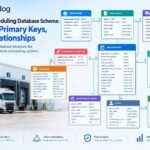
[…] a broader explanation of the business entities and their fields, see the dock scheduling system data model. This article focuses on how those entities can be implemented as a relational […]
[…] For a detailed explanation of these records, see the dock scheduling system data model. […]