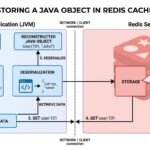

Caching is one of the most common techniques used to improve the performance of Java applications. Instead of repeatedly retrieving the same information from a database, API, or another expensive source, an application can temporarily store frequently used data and retrieve it more quickly when it is needed again.
If you are wondering how to create a cache object in Java, there are several approaches. A simple cache can be created using Java collections such as HashMap, while applications with multiple threads may use ConcurrentHashMap. For production systems, a dedicated caching library can provide features such as expiration, maximum cache size, and automatic eviction.
This guide explains how to create a cache object in Java, starting with a simple implementation and gradually moving toward more practical caching solutions. To understand the underlying concept in more detail, see our guide to Java object cache and how object caching works.
Quick Answer
The simplest way to create a cache object in Java is to use a map that stores a key and its associated value.
For example:
Map<String, Object> cache = new HashMap<>();

cache.put("user:101", user);

Object cachedUser = cache.get("user:101");
For a multithreaded application, ConcurrentHashMap is generally more appropriate than a basic HashMap.
A production application may also benefit from a dedicated caching library that supports features such as TTL, eviction, maximum size, and cache statistics.
What Is a Cache Object in Java?
A cache object is an object or data structure used to temporarily store information that an application expects to access repeatedly.
A typical caching flow looks like this:
Application
     |
     v
Check Cache
     |
  +--+--+
  |     |
 Hit   Miss
  |     |
  v     v
Return  Load Data
Object  from Source
        |
        v
      Cache
For example, an application may retrieve a customer record from a database.
The first request might require a database query:
Application → Database → Customer Object
The application can then store that object in the cache:
Application → Cache → Customer Object
When another request needs the same customer, the application can retrieve the object from the cache instead of performing the same database operation again.
How to Create a Cache Object in Java
There isn’t a single built-in Cache class that you must use for every Java application.
Instead, you can create caching functionality using different approaches depending on your requirements.
The simplest approach is a Java collection.
For example:
Map<String, String> cache = new HashMap<>();
Here:
Stringis the key type.- The second
Stringis the value type. cacheis the object used to store cached values.
You can then add an entry:
cache.put("username:101", "John");
And retrieve it:
String username = cache.get("username:101");
This gives you the basic behavior of a cache.
However, a real-world cache normally needs more functionality than simply storing and retrieving values.
Creating a Simple Object Cache with HashMap
A HashMap can be used to create a basic cache for Java objects. You can refer to the Java HashMap documentation for the class’s available methods and behavior.
Suppose you have a User class:
public class User {

    private int id;
    private String name;

    public User(int id, String name) {
        this.id = id;
        this.name = name;
    }

    public int getId() {
        return id;
    }

    public String getName() {
        return name;
    }
}
You can create a cache:
Map<Integer, User> userCache = new HashMap<>();
Then store a user:
User user = new User(101, "John");

userCache.put(user.getId(), user);
To retrieve the object:
User cachedUser = userCache.get(101);
If the entry exists, cachedUser references the stored User object.
This is the basic idea behind Java cache objects.
Checking Whether an Object Is Already Cached
Before retrieving an object from a database or another source, the application can check the cache.
For example:
User user = userCache.get(101);

if (user == null) {
    user = loadUserFromDatabase(101);
    userCache.put(101, user);
}
The logic is straightforward:
- Look for the user in the cache.
- If the user exists, use the cached object.
- If the user doesn’t exist, retrieve it from the database.
- Store the newly retrieved object in the cache.
- Use the object.
This approach is commonly associated with the cache-aside pattern.
Complete Basic Cache Example
Here is a simple example:
import java.util.HashMap;
import java.util.Map;

public class SimpleCache {

    private final Map<Integer, User> cache = new HashMap<>();

    public User getUser(int id) {

        User user = cache.get(id);

        if (user == null) {
            user = loadUser(id);
            cache.put(id, user);
        }

        return user;
    }

    private User loadUser(int id) {
        return new User(id, "John");
    }
}
This example demonstrates the fundamental concept without introducing a third-party caching library.
However, it should not automatically be considered a complete production-ready cache.
Why HashMap Isn’t Always Enough
Although HashMap is convenient, it doesn’t provide many features expected from a production caching system.
For example, a basic HashMap doesn’t automatically provide:
- Expiration
- TTL
- Maximum cache size
- Automatic eviction
- Cache statistics
- Advanced concurrency behavior
There is also an important issue when multiple threads access the same cache.
If your application handles concurrent requests, multiple threads may try to read and modify the cache at the same time.
For this reason, applications with concurrent access often need a more appropriate data structure.
Creating a Cache with ConcurrentHashMap
Java provides ConcurrentHashMap for concurrent access to key-value data. The Java ConcurrentHashMap documentation provides additional details about its concurrent map behavior and methods.
A simple cache can be created like this:
import java.util.concurrent.ConcurrentHashMap;

ConcurrentHashMap<Integer, User> userCache =
        new ConcurrentHashMap<>();
You can store an object:
User user = new User(101, "John");

userCache.put(101, user);
And retrieve it:
User cachedUser = userCache.get(101);
This is more suitable for many multithreaded use cases than sharing a normal HashMap between multiple threads.
Using putIfAbsent()
ConcurrentHashMap also provides useful atomic operations.
For example:
userCache.putIfAbsent(101, user);
This adds the value only if the specified key isn’t already present.
This can be useful when several threads may attempt to populate the same cache.
However, ConcurrentHashMap is still a map rather than a complete caching framework. You may need additional logic for expiration, eviction, and other cache-management requirements.
Using computeIfAbsent()
Another useful method is computeIfAbsent().
For example:
User user = userCache.computeIfAbsent(
    101,
    id -> loadUserFromDatabase(id)
);
The idea is:
- If the object is already cached, use it.
- If it isn’t cached, calculate/load the value.
- Store the resulting value.
- Return the value.
This can make simple cache implementations considerably cleaner.
A complete example could look like:
import java.util.concurrent.ConcurrentHashMap;

public class UserCache {

    private final ConcurrentHashMap<Integer, User> cache =
            new ConcurrentHashMap<>();

    public User getUser(int id) {
        return cache.computeIfAbsent(
            id,
            this::loadUserFromDatabase
        );
    }

    private User loadUserFromDatabase(int id) {
        return new User(id, "John");
    }
}
This is a useful approach for relatively simple in-memory caching.
Adding Expiration to a Java Cache
One of the biggest limitations of a basic map-based cache is that entries can remain in memory indefinitely. Java’s Java Duration API can be used to represent time-based amounts such as minutes and seconds.
Consider:
cache.put(101, user);
If nothing removes this object, it may remain associated with the cache for as long as the cache itself remains active.
For a small example this might not matter.
For a large application, however, continuously adding objects can cause unnecessary memory consumption.
A practical cache often needs expiration.
One way to implement expiration manually is to store the value together with its creation time.
For example:
class CacheEntry<T> {

    private final T value;
    private final long expirationTime;

    public CacheEntry(T value, long ttl) {
        this.value = value;
        this.expirationTime =
                System.currentTimeMillis() + ttl;
    }

    public boolean isExpired() {
        return System.currentTimeMillis() > expirationTime;
    }

    public T getValue() {
        return value;
    }
}
You could then store the entry:
Map<Integer, CacheEntry<User>> cache = new HashMap<>();
And create an entry with a TTL:
cache.put(
    101,
    new CacheEntry<>(user, 60_000)
);
The 60_000 value represents 60 seconds.
When retrieving the object, the application can check whether the entry has expired.
CacheEntry<User> entry = cache.get(101);

if (entry != null && !entry.isExpired()) {
    return entry.getValue();
}

return null;
This demonstrates how expiration works conceptually.
However, manually implementing every caching feature can quickly make the code complicated.
Using a Dedicated Caching Library
For production applications, developers often use a dedicated caching library instead of implementing expiration and eviction from scratch.
A caching library can provide features such as:
- Maximum cache size
- Expiration after access
- Expiration after writing
- Automatic eviction
- Cache statistics
- Concurrent access
- Efficient memory management
One popular approach for local Java caching is the Caffeine Java caching library.
A Caffeine-based cache can be configured with limits and expiration rules.
For example:
Cache<Integer, User> cache = Caffeine.newBuilder()
        .maximumSize(10_000)
        .expireAfterWrite(Duration.ofMinutes(10))
        .build();
The application can then store an object:
cache.put(101, user);
And retrieve it:
User cachedUser = cache.getIfPresent(101);
This approach is much closer to what you might expect from a production-oriented local cache.
Loading Objects Automatically
A cache can also be configured to load an object when it doesn’t already exist.
Conceptually, the application wants this behavior:
Request object
      |
      v
Is object cached?
   /       \
 Yes        No
 |          |
Return      Load object
           |
           v
         Cache
           |
           v
         Return
Instead of writing the same lookup logic throughout the application, a loading cache can centralize this behavior.
For example:
LoadingCache<Integer, User> cache =
        Caffeine.newBuilder()
                .maximumSize(10_000)
                .expireAfterWrite(Duration.ofMinutes(10))
                .build(this::loadUser);
Then:
User user = cache.get(101);
If the value isn’t already cached, the configured loader can retrieve it.
This can make application code easier to maintain.
How Long Should a Java Cache Keep Objects?
There is no universal TTL that works for every application.
The appropriate expiration period depends on how frequently the underlying data changes.
For example:
| Data Type | Possible Caching Approach |
|---|---|
| Static configuration | Long expiration |
| Product catalog | Minutes to hours |
| User profile | Minutes |
| Frequently changing prices | Very short TTL |
| Temporary computation | Application-dependent |
| Session-related data | Based on session requirements |
The important principle is to choose expiration based on data freshness requirements, not simply because a particular TTL is common.
If stale data can cause serious problems, you may need a shorter TTL or explicit invalidation.
Cache Invalidation
Expiration is only one way to remove outdated objects.
Another approach is cache invalidation.
Suppose a user’s name is changed in the database:
Database:
John → Jonathan
But the cache still contains:
Cache:
John
The application could remove the old cached value when the database is updated:
cache.invalidate(101);
The next request would then retrieve the updated value and place it back into the cache.
This approach can help maintain consistency between the cache and the underlying data source.
Cache Eviction
Expiration and eviction are related but aren’t exactly the same thing.
Expiration generally removes an entry because it has exceeded a time-based rule.
Eviction can remove an entry because the cache needs to free space or because an eviction policy has selected it.
For example, suppose a cache has a maximum size of 10,000 entries.
When the cache reaches its limit, it needs to decide which entries should be removed.
Common strategies include:
- Least Recently Used (LRU)
- Least Frequently Used (LFU)
- Size-based eviction
- Time-based expiration
A dedicated caching library can handle these mechanisms automatically.
How to Avoid Memory Problems
When creating an in-memory cache, memory usage should always be considered.
If an application stores thousands or millions of large objects, the cache can consume a significant amount of JVM memory.
For example:
Map<Integer, LargeObject> cache = new HashMap<>();
If entries are continuously added without limits, memory usage can grow.
A better design establishes boundaries:
Maximum Entries
       +
Expiration
       +
Eviction
       +
Monitoring
This makes cache behavior more predictable.
Should Every Java Object Be Cached?
No.
Caching everything is usually a poor strategy.
An object is a good caching candidate when:
- It is accessed frequently.
- It is expensive to retrieve or calculate.
- It doesn’t change constantly.
- Reusing it provides a measurable performance benefit.
- Its memory footprint is reasonable.
An object may not be worth caching when it is:
- Rarely accessed.
- Extremely large.
- Constantly changing.
- Cheap to recreate.
- Sensitive to stale data.
Caching should solve a performance problem rather than simply being added because an application can use it.
Local Java Cache vs Distributed Cache
The approaches discussed so far are primarily local in-memory caches.
The cache exists within the application process:
Java Application
      |
      v
JVM Memory
      |
      v
Local Cache
This can be extremely fast because the application doesn’t need to communicate with another server.
However, it creates a limitation when the application runs on multiple servers.
For example:
Server A → Local Cache A

Server B → Local Cache B

Server C → Local Cache C
The three caches may contain different versions of the same data.
A distributed caching system can provide a shared cache:
Server A ─┐
Server B ─┼──→ Shared Cache
Server C ─┘
Redis is a common option for this type of architecture.
Detailed instructions for storing Java objects in Redis are better handled separately because Redis introduces serialization, connection management, distributed access, TTL, and other considerations. If your application needs a shared cache across multiple servers, you can learn more about how to store objects in Redis cache using Java.
Best Practices for Creating a Java Cache
When implementing a cache, consider the following practices.
Define a Maximum Size
Don’t allow an in-memory cache to grow without limits.
Use Expiration
Set an appropriate TTL when cached data shouldn’t remain valid indefinitely.
Handle Cache Misses
Always define what happens when an object isn’t available.
Plan Invalidation
Determine how cached objects will be removed or updated when the original data changes.
Consider Thread Safety
For concurrent applications, use a data structure or caching library designed for concurrent access.
Monitor the Cache
Useful metrics include:
- Hit rate
- Miss rate
- Eviction count
- Entry count
- Memory consumption
- Load time
- Average access latency
Avoid Excessive Object Sizes
Caching large object graphs can consume much more memory than expected.
Cache Based on Evidence
Use application performance data to determine which objects are worth caching.
Common Mistakes When Creating a Java Cache
Using HashMap in a Highly Concurrent Environment
A standard HashMap isn’t designed to be a general-purpose concurrent cache.
Never Expiring Entries
Unlimited retention can result in unnecessary memory usage and stale data.
Caching Large Objects Without Limits
Large objects can quickly consume available heap memory.
Ignoring Stale Data
A cache can improve speed while returning incorrect or outdated information if invalidation isn’t properly designed.
Caching Without Measuring Performance
A cache adds complexity. If it doesn’t meaningfully improve performance, it may not be worth maintaining.
Frequently Asked Questions
How do you create a cache object in Java?
The simplest method is to use a Java collection such as HashMap:
Map<String, Object> cache = new HashMap<>();
For concurrent applications, ConcurrentHashMap can be used. Production systems may benefit from a dedicated caching library with expiration and eviction support.
Can I use HashMap as a cache?
Yes. A HashMap can serve as a basic cache for simple use cases, but it doesn’t automatically provide features such as TTL, eviction, or advanced concurrency support.
Is ConcurrentHashMap good for caching?
ConcurrentHashMap can be useful for simple thread-safe in-memory caching scenarios. However, it is not a complete caching framework, so additional functionality may be required for expiration and eviction.
How do I expire objects from a Java cache?
You can implement expiration manually by storing an expiration timestamp with each entry, or use a caching library that provides TTL and expiration features.
What is the best way to cache Java objects?
There is no universal best approach. A simple map may be enough for a small application, while a dedicated caching library is generally more suitable when you need expiration, eviction, size limits, and other production features.
Does a Java cache store the actual object?
An in-memory Java cache can retain references to Java objects. The exact behavior depends on the cache implementation and how values are stored.
Can a Java cache cause memory problems?
Yes. If an application stores too many objects, keeps entries for too long, or caches large object graphs, the cache can consume significant JVM memory.
Final Thoughts
Creating a cache object in Java can be as simple as storing values in a HashMap, but real-world caching usually requires more careful design.
For basic applications, a map-based cache can demonstrate the fundamental concept:
cache.put(key, value);
For concurrent applications, ConcurrentHashMap provides a better foundation for shared access. When you need features such as expiration, maximum size, automatic loading, and eviction, a dedicated caching library can reduce the amount of custom code you need to maintain.
The most important part isn’t simply creating the cache. You also need to decide what should be cached, how long it should remain cached, when it should be invalidated, and how much memory the cache is allowed to consume.
For applications that run across multiple servers and need a shared cache, a distributed solution such as Redis can be more appropriate than keeping every cached object inside an individual JVM.
The next step is understanding how to store objects in Redis cache using Java, including serialization, TTL, storing Java object data, retrieving it, and handling distributed caching.