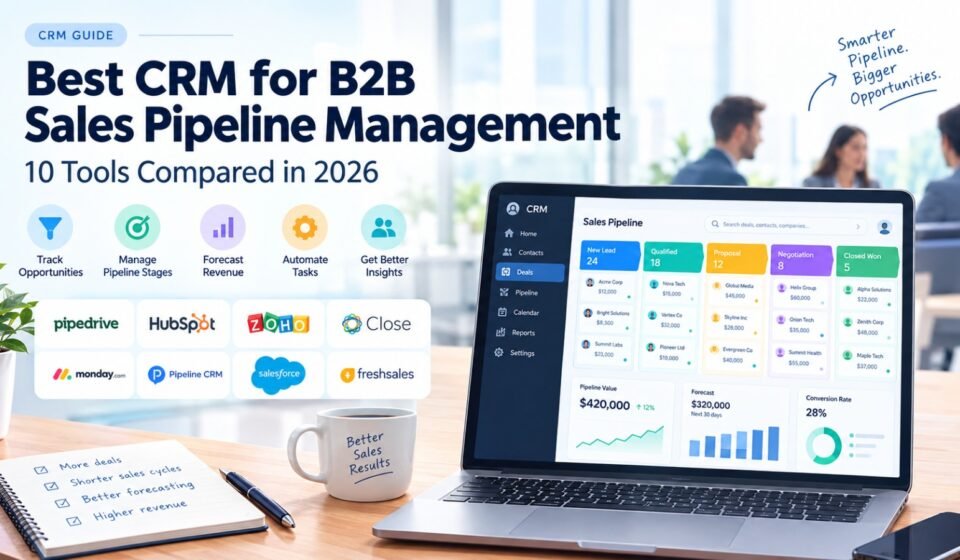

Managing a B2B sales pipeline can become difficult as the number of leads, contacts, deals, and sales representatives grows. Spreadsheets may work when a business has only a few opportunities, but they become harder to maintain when multiple people need to track the same prospects.
A CRM can bring these activities into one system.
The best CRM for B2B sales pipeline management should help sales teams organize opportunities, define pipeline stages, track follow-ups, automate repetitive tasks, forecast revenue, and understand which deals need attention.
But every B2B sales process is different. Some companies have short sales cycles and close deals within days. Others work on complex opportunities involving several decision-makers and months of negotiations.
That means the right CRM depends on the sales process, team size, pipeline complexity, automation requirements, integrations, and budget.
This guide compares 10 CRM platforms and explains how each can fit different B2B sales pipeline requirements. If you are specifically looking for the best CRM for small B2B sales pipeline, you can also compare CRM options designed around the needs of smaller businesses.
Quick Answer: What Is the Best CRM for B2B Sales Pipeline Management?
There is no single CRM that is right for every B2B company.
Pipedrive is particularly focused on visual sales pipeline management. HubSpot CRM combines pipeline management with broader sales and marketing functionality. Zoho CRM offers a wide range of CRM features and customization options.
Close can be useful for B2B teams that depend heavily on calling and email, while monday CRM provides flexible and visual workflows.
Pipeline CRM is another option for businesses that want dedicated pipeline management, while Salesforce is designed for companies with more complex and highly customized sales operations.
The best choice depends on how your sales team qualifies leads, manages opportunities, communicates with prospects, and forecasts revenue.
What Is B2B Sales Pipeline Management?
A B2B sales pipeline is a structured view of potential business opportunities as they move through the sales process.
A simple pipeline might contain:
New Lead → Qualified → Discovery → Proposal → Negotiation → Closed Won
Each stage represents a different point in the buyer’s journey.
For example, a new lead may only have basic contact information. After qualification, the sales representative may confirm the company’s requirements, budget, authority, and timeline.
Later, the opportunity may move into a proposal stage and eventually into negotiation.
Pipeline management is the process of keeping these opportunities organized and moving them through the appropriate stages.
A CRM makes this process easier by connecting:
- Leads
- Contacts
- Companies
- Opportunities
- Activities
- Emails
- Calls
- Meetings
- Tasks
- Deal values
- Sales stages
- Forecasts
- Reports
Modern B2B CRM guides commonly emphasize a shared view of accounts, contacts, deals, activities, and next steps as a core requirement for effective sales operations.
Why B2B Businesses Need a CRM for Pipeline Management
B2B sales can involve many moving parts.
A single opportunity may include:
- Multiple decision-makers
- Several sales calls
- Product demonstrations
- Proposals
- Pricing discussions
- Contracts
- Follow-up emails
- Internal approvals
- Procurement
- Negotiations
Trying to manage all of this through spreadsheets and email can create gaps in the sales process.
Better pipeline visibility
A CRM gives sales representatives and managers a shared view of open opportunities.
More organized follow-ups
Salespeople can create tasks and reminders so important opportunities do not get forgotten.
Better forecasting
Managers can analyze deal values, stages, close dates, and historical sales data to build forecasts.
Less manual administration
Automation can reduce repetitive tasks such as assigning leads, creating reminders, and updating workflows.
Easier team collaboration
When multiple representatives work with the same company, everyone can see the relevant account and deal information.
Modern sales CRM platforms increasingly combine pipeline management with forecasting, automation, reporting, and sales engagement features.
10 Best CRM Platforms for B2B Sales Pipeline Management
1. Pipedrive — Strong Choice for Visual Pipeline Management
Pipedrive CRM is built around sales pipeline management.
Its visual approach makes it easy for representatives to see active opportunities and understand which stage each deal is currently in.
This makes it particularly suitable for B2B businesses with a defined sales process.
Best for:
- Visual sales pipelines
- Small and medium-sized B2B teams
- Sales-focused organizations
- Teams that want straightforward deal management
- Businesses with clearly defined sales stages
Key pipeline features
- Visual deal pipeline
- Deal-stage management
- Activity tracking
- Follow-up tasks
- Sales reporting
- Forecasting
- Workflow automation
- Integrations
A 2026 B2B CRM comparison describes Pipedrive as a pipeline-first option for SMB and mid-market sales teams.
Potential limitation
Companies that need extensive marketing, customer service, or enterprise functionality may eventually require a broader platform.
2. HubSpot CRM — Best for Sales and Marketing Alignment
HubSpot CRM combines sales pipeline management with marketing, customer service, and broader customer relationship functionality.
This can be useful for B2B companies where marketing generates leads and sales representatives then manage those leads through a pipeline.
Best for:
- Inbound B2B sales
- Sales and marketing teams
- Growing companies
- Businesses wanting an integrated ecosystem
- Teams that need automation and reporting
Key pipeline features
- Deal pipelines
- Contact management
- Company records
- Sales activities
- Workflow automation
- Reporting
- Email tools
- Integrations
HubSpot appears frequently in current 2026 B2B CRM comparisons because of its combination of CRM, sales, marketing, and service capabilities.
Potential limitation
As businesses add more advanced functionality, the platform can become more complex and the overall cost can increase.
3. Zoho CRM — Strong Option for Customization
Zoho CRM provides tools for managing leads, contacts, opportunities, workflows, reporting, and automation.
Its broad feature set can make it useful for B2B companies that want to customize their CRM around a particular sales process.
Best for:
- Budget-conscious businesses
- Companies needing customization
- Businesses already using Zoho products
- B2B teams with multiple CRM requirements
Key pipeline features
- Multiple pipelines
- Deal management
- Lead management
- Workflow automation
- Custom fields
- Reporting
- Sales forecasting
- Integrations
Zoho CRM is frequently included in current B2B CRM comparisons as a broad-feature option for businesses that want to control costs.
Potential limitation
The large number of features can make the platform more complicated for teams that only need basic pipeline management.
4. Close — Useful for Outbound Sales Pipelines
Close CRM is designed with sales communication at its center.
For B2B businesses that rely heavily on outbound calls and emails, having communication and pipeline management closely connected can reduce the need to switch between different systems.
Best for:
- Outbound B2B sales
- Inside sales
- Calling-heavy teams
- Sales development teams
- High-volume prospecting
Key pipeline features
- Lead management
- Deal pipelines
- Calling
- Communication history
- Tasks
- Automation
- Activity tracking
Current B2B CRM comparisons frequently position Close toward high-velocity or inside-sales use cases.
Potential limitation
A company that only needs basic pipeline and contact management may not need its broader communication functionality.
5. monday CRM — Best for Flexible Pipeline Workflows
monday CRM is designed around visual and customizable workflows.
This can be useful when a business does not want to follow a rigid CRM structure and instead needs to adapt its pipeline around a specific sales process.
Best for:
- Flexible sales processes
- Visual workflows
- Teams already using monday.com
- Businesses that need customizable pipelines
Key pipeline features
- Custom deal stages
- Visual boards
- Workflow automation
- Dashboards
- Custom fields
- Sales activity tracking
- Integrations
Current small-business CRM comparisons identify monday CRM as an option for simple and visual sales pipeline management.
Potential limitation
Businesses that want a CRM designed specifically around traditional sales methodology may prefer a sales-focused CRM.
6. Pipeline CRM — Built Around Sales Pipeline Management
Pipeline CRM focuses directly on managing sales opportunities.
Its features include pipeline management, deal tracking, automation, reporting, and integrations.
This can make it suitable for businesses that want a dedicated sales system without adopting a much larger CRM ecosystem.
Best for:
- B2B sales teams
- Pipeline-focused organizations
- Deal tracking
- Sales forecasting
- Teams wanting straightforward CRM functionality
Key pipeline features
- Visual pipelines
- Deal management
- Custom fields
- Reporting
- Automation
- Email integration
- Mobile access
Current 2026 pipeline CRM comparisons include Pipeline CRM among the tools designed specifically around sales pipeline management.
Potential limitation
Businesses that need extensive marketing or customer-service functionality may prefer a broader CRM platform.
7. Freshsales — Useful for Communication and Automation
Freshsales combines CRM functionality with sales communication and automation.
This can be useful for B2B sales teams that need to manage leads, deals, emails, activities, and follow-ups in one system.
Best for:
- Small and medium-sized B2B teams
- Email-driven sales
- Teams using phone communication
- Businesses wanting sales automation
Key pipeline features
- Lead management
- Deal pipelines
- Phone capabilities
- Workflow automation
- Activity tracking
- Reporting
Freshsales appears among current 2026 CRM comparisons for small and B2B sales teams.
Potential limitation
Teams with a very simple sales process may find that they do not need every available communication or automation feature.
8. Salesforce — Best for Complex Sales Operations
Salesforce CRM is designed for businesses with complex CRM requirements.
It provides extensive customization, automation, reporting, integrations, and tools for managing sophisticated sales processes.
For a small company, the main consideration is whether that complexity is actually necessary.
Best for:
- Complex B2B sales
- Enterprise organizations
- Multiple sales teams
- Advanced customization
- Businesses with complex reporting requirements
Key pipeline features
- Advanced opportunity management
- Forecasting
- Custom workflows
- Automation
- Reporting
- Integrations
- Custom objects
- Advanced permissions
Current 2026 B2B CRM comparisons continue to position Salesforce toward highly customized and complex sales operations.
Potential limitation
Implementation, administration, customization, and training can require more resources than a small company wants to invest.
9. Nutshell — Simple CRM for B2B Pipeline Management
Nutshell focuses on combining CRM, sales pipeline, communication, and reporting features in a relatively straightforward environment.
It can be considered by small B2B businesses that want a traditional sales CRM without building a highly complicated system.
Best for:
- Small B2B businesses
- Professional services
- Straightforward sales pipelines
- Teams that want an easy-to-manage CRM
Key pipeline features
- Deal management
- Contact management
- Sales pipeline
- Reporting
- Automation
- Team collaboration
Nutshell is included in several current B2B CRM comparisons as an option for small teams seeking an easy-to-use CRM.
Potential limitation
Companies with very complex processes may need more customization.
10. Salesflare — Useful for Automated B2B Follow-Up
Salesflare is designed specifically around B2B sales and reducing manual CRM administration.
Its approach focuses on automatically gathering information and helping sales teams keep customer records up to date.
Best for:
- Small and medium-sized B2B teams
- Relationship-driven sales
- Teams that want less manual data entry
- Businesses focused on follow-up
Key pipeline features
- Contact management
- Deal pipelines
- Automated data collection
- Email integration
- Sales follow-up
- Reporting
- Integrations
A September 2026 comparison based on hands-on testing highlights Salesflare’s focus on keeping CRM records updated and making follow-up easier for small and medium-sized B2B sales teams.
Potential limitation
Teams wanting a highly customized enterprise CRM may need a platform with deeper configuration options.
B2B Sales Pipeline CRM Comparison
| CRM | Pipeline Management | Automation | Reporting | Best Fit |
|---|---|---|---|---|
| Pipedrive | Excellent | Strong | Strong | Visual sales pipelines |
| HubSpot | Excellent | Excellent | Excellent | Sales + marketing |
| Zoho CRM | Excellent | Excellent | Excellent | Customization and value |
| Close | Excellent | Strong | Strong | Outbound sales |
| monday CRM | Strong | Strong | Strong | Flexible workflows |
| Pipeline CRM | Excellent | Strong | Strong | Dedicated pipeline management |
| Freshsales | Strong | Strong | Strong | Communication-focused teams |
| Salesforce | Excellent | Excellent | Excellent | Complex sales operations |
| Nutshell | Strong | Good | Good | Small B2B teams |
| Salesflare | Strong | Strong | Strong | Automated B2B follow-up |
The table is a practical comparison of the capabilities and use cases discussed above, not a universal ranking. CRM requirements vary significantly between B2B sales organizations.
What Makes a Good B2B Sales Pipeline CRM?
Not every CRM is equally useful for pipeline management.
Before selecting a platform, look at the following areas.
1. Clear Pipeline Stages
The CRM should let you define stages that match your actual sales process.
For example:
Lead → Qualified → Discovery → Proposal → Negotiation → Won
Avoid creating stages simply because the software allows them.
Each stage should represent a meaningful change in the sales process.
2. Easy Deal Movement
Sales representatives should be able to quickly update a deal when its status changes.
If updating a deal takes too many steps, CRM data can become outdated.
3. Next-Step Tracking
Every active opportunity should ideally have a clear next action.
For example:
- Schedule a demo
- Send proposal
- Follow up with decision-maker
- Review contract
- Call procurement
A good CRM should make these next steps visible.
4. Pipeline Forecasting
Managers need to understand the potential value of current opportunities.
Useful forecasting information includes:
- Deal value
- Expected close date
- Pipeline stage
- Probability
- Historical conversion
- Sales cycle
Forecasting tools are increasingly treated as a core part of modern sales CRM systems alongside pipeline visibility and automation.
5. Automation
Automation can remove repetitive administrative work.
Useful examples include:
- Creating follow-up tasks
- Sending reminders
- Assigning leads
- Updating fields
- Triggering notifications
- Moving records between workflows
6. Reporting
Your CRM should make it easy to understand what is happening inside the pipeline.
Useful reports include:
- Pipeline value
- Open deals
- Deals by stage
- Win rate
- Average deal size
- Sales cycle
- Forecasted revenue
- Lost opportunities
7. Integrations
A CRM should connect with the other tools your sales team already uses.
Common integrations include:
- Calendar
- Marketing platforms
- Accounting
- Customer support
- Lead-generation tools
- Communication platforms
- Analytics
How to Build a B2B Sales Pipeline in a CRM
Selecting a CRM is only the beginning.
You also need to configure the pipeline correctly.
Step 1: Define Your Sales Process
Write down the actual steps a prospect goes through before becoming a customer.
For example:
New Lead
↓
Qualified
↓
Discovery Call
↓
Proposal
↓
Negotiation
↓
Closed Won
Your stages should reflect real sales activities.
Step 2: Define Qualification Criteria
Decide what makes a lead qualified.
For B2B sales, criteria may include:
- Company size
- Industry
- Location
- Budget
- Business need
- Decision-making authority
- Purchase timeline
This prevents sales representatives from treating every contact as an active opportunity.
Step 3: Create Deal Rules
Define what information must be entered when a deal is created.
For example:
- Company
- Contact
- Deal value
- Sales stage
- Expected close date
- Deal owner
- Next activity
Clear rules improve data quality.
Step 4: Create Follow-Up Tasks
Every active opportunity should have a next step.
A CRM can help salespeople remember:
- When to call
- When to email
- When to send a proposal
- When to schedule a meeting
Step 5: Create Pipeline Reports
Build reports that answer practical questions.
For example:
How much revenue is currently in the pipeline?
Which deals have been inactive for more than 14 days?
Which sales stage has the highest number of opportunities?
What percentage of qualified opportunities become customers?
Step 6: Review the Pipeline Regularly
A CRM is not a set-and-forget system.
Sales managers should regularly review:
- Stale deals
- Missing information
- Incorrect stages
- Overdue activities
- Expected close dates
- Lost opportunities
- Forecast changes
B2B Sales Pipeline Stages Explained
Different businesses use different stages, but the following structure can work as a starting point.
Stage 1: New Lead
The business has received or identified a potential prospect.
Stage 2: Qualified Lead
The prospect meets your basic qualification requirements.
Stage 3: Discovery
The sales representative is learning about the prospect’s needs, problems, budget, and timeline.
Stage 4: Proposal
The business has presented a solution and pricing.
Stage 5: Negotiation
The prospect and seller are discussing commercial terms.
Stage 6: Closed Won
The prospect becomes a customer.
Stage 7: Closed Lost
The opportunity does not move forward.
The exact stages should be adjusted to match the company’s actual sales process.
How CRM Automation Improves B2B Pipeline Management
Automation is one of the main reasons businesses move from spreadsheets to CRM platforms.
For example, when a deal moves to Proposal, the CRM could automatically create a follow-up task for the sales representative.
When a new lead enters the system, it could be assigned to the appropriate salesperson.
When a deal becomes inactive, a manager could receive a notification.
Automation can therefore help keep the pipeline moving without requiring sales representatives to remember every administrative task.
However, automation should support the sales process rather than make it unnecessarily complicated.
Common B2B Pipeline Management Mistakes
Too Many Pipeline Stages
A pipeline with too many stages can become difficult to maintain.
Use stages that represent meaningful changes in the buying process.
No Clear Qualification Process
If every contact enters the pipeline as an opportunity, the pipeline may become inflated.
Define clear qualification criteria.
Stale Opportunities
A deal that has not had activity for several weeks may require attention.
Use reports or automation to identify inactive opportunities.
Incorrect Close Dates
Sales representatives sometimes leave expected close dates unchanged even after the deal is delayed.
Review close dates regularly.
No Next Step
An opportunity without a next activity can easily become forgotten.
Every active deal should have a clear next action.
Poor CRM Adoption
Even the best CRM cannot produce useful pipeline information if salespeople do not update it.
Keep the process simple and train the team properly.
CRM vs Spreadsheet for B2B Pipeline Management
A spreadsheet can be useful for a very small sales operation.
However, CRM software becomes increasingly valuable when multiple salespeople need to manage leads and opportunities.
| Requirement | Spreadsheet | CRM |
|---|---|---|
| Contact storage | Available | Available |
| Deal stages | Basic | Advanced |
| Automated reminders | Limited | Available |
| Activity tracking | Manual | Integrated |
| Forecasting | Manual | Built-in options |
| Team permissions | Limited | Available |
| Workflow automation | Limited | Available |
| Reporting | Manual | Automated options |
| Communication history | Manual | Integrated options |
The main difference is not simply where the data is stored.
A CRM can connect the data to a repeatable sales process.
How to Choose the Right CRM for Your B2B Pipeline
Team size also matters when choosing CRM software. If you are managing a smaller sales team, our guide to the best CRM for small B2B sales teams can help you compare options based on team size, usability, and sales workflows.
Before buying a CRM, ask these questions.
How complicated is our sales process?
If you have a simple sales process, you may not need a highly customizable enterprise CRM.
How long is our sales cycle?
Short sales cycles often require fast activity tracking, while long B2B sales cycles may require stronger forecasting, account management, and multi-stage workflows.
How many people are involved in a deal?
If several decision-makers are involved, account and contact relationships become more important.
Do we need marketing integration?
If marketing generates many leads, connecting marketing and sales data can be valuable.
Do we need calling and email features?
Outbound sales teams may prioritize communication features more heavily.
How much automation do we need?
Start with repetitive tasks that actually consume time.
Will the CRM scale?
Choose a platform that can support your expected growth without creating unnecessary complexity today.
Final Thoughts
The best CRM for B2B sales pipeline management depends on how your business sells.
Pipedrive is particularly focused on visual pipeline management. HubSpot combines sales pipeline functionality with a broader sales and marketing ecosystem. Zoho CRM provides broad functionality and customization, while Close is particularly relevant to outbound sales teams.
monday CRM can work well for flexible workflows, Pipeline CRM focuses directly on pipeline management, and Salesforce is designed for more complex sales operations.
The most important thing is to match the CRM to your actual sales process.
Before making a purchase, test the platform using real opportunities. Build your actual pipeline stages, import a small group of contacts, connect your communication tools, create follow-up tasks, and review the reporting.
A CRM should make your sales process easier to understand and manage.
If your representatives can quickly see what deals are open, where each deal is, what needs to happen next, and how much revenue could come from the pipeline, the CRM is doing its job.
Frequently Asked Questions
What is the best CRM for B2B sales pipeline management?
The right CRM depends on your sales process. Pipedrive is strongly focused on visual pipeline management, HubSpot combines CRM with sales and marketing functionality, Zoho provides broad customization, and Close is suited to outbound sales workflows.
What should a B2B sales pipeline CRM include?
Important features include deal stages, contact management, activity tracking, follow-up tasks, reporting, forecasting, automation, communication tools, and integrations.
How many stages should a B2B sales pipeline have?
There is no universal number. A simple B2B pipeline may use five to seven meaningful stages, but the correct number depends on the company’s actual sales process.
Is a CRM better than a spreadsheet for sales pipeline management?
For a very small operation, a spreadsheet may be sufficient. As the number of leads, deals, and sales representatives grows, a CRM can provide better automation, reporting, activity tracking, and pipeline visibility.
What is the most important CRM feature for B2B sales?
Pipeline visibility is one of the most important features, but it should work together with contact management, activity tracking, follow-ups, reporting, and automation.
How can CRM automation improve a sales pipeline?
Automation can create follow-up tasks, assign leads, send notifications, update workflows, and reduce repetitive administrative work.
What is pipeline forecasting?
Pipeline forecasting is the process of estimating future sales based on current opportunities, deal values, stages, expected close dates, historical conversion rates, and other sales data.
Should every lead enter the sales pipeline?
Not necessarily. Businesses should define qualification criteria so that the active pipeline represents realistic sales opportunities rather than every contact in the database.



[…] pipeline management is not necessarily the CRM with the most features. A CRM is also useful for B2B sales pipeline management because it helps businesses track opportunities from the first contact through negotiation and […]
[…] CRM software can also improve B2B sales pipeline management by giving sales representatives a clear view of leads, opportunities, deal stages, and upcoming […]