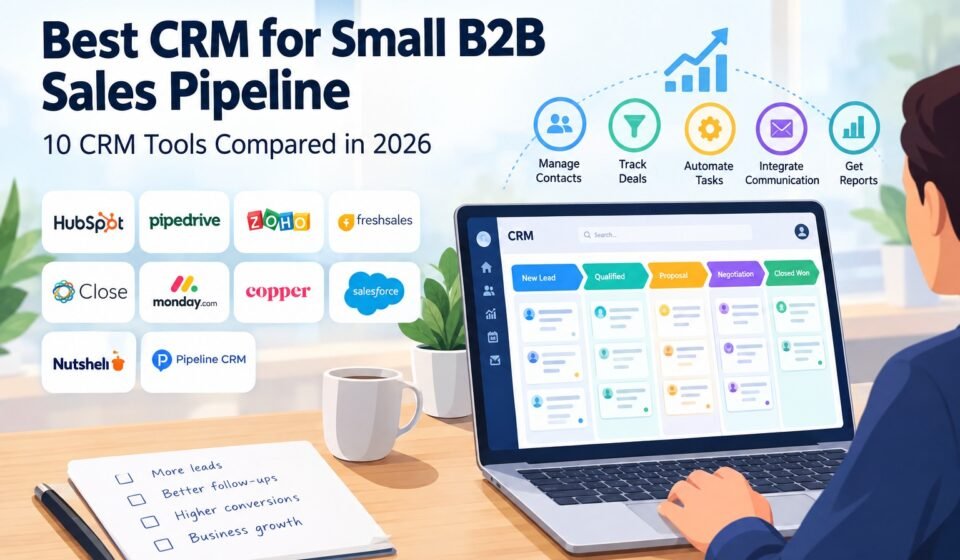

Choosing the best CRM for small B2B sales pipeline management can be difficult. Small sales teams need a CRM that is simple enough to use every day but powerful enough to manage leads, contacts, deals, follow-ups, and sales forecasting.
Large CRM platforms often come with hundreds of features, but small B2B businesses may not need all of them. What matters more is having a clear sales pipeline, reliable contact management, useful automation, integrations, and pricing that fits the company’s budget.
In this guide, we compare 10 CRM platforms that can work for small B2B sales teams and explain which type of business each one is best suited for.
Quick Answer: What Is the Best CRM for a Small B2B Sales Pipeline?
There is no single CRM that is perfect for every small B2B business.
HubSpot CRM is a strong overall choice for businesses that want sales, marketing, and customer management in one platform. Pipedrive is particularly suitable for sales teams that mainly need a simple, visual pipeline. Zoho CRM is attractive for businesses looking for a broad feature set at a controlled cost.
Freshsales can work well for teams that want built-in communication and AI-assisted sales features, while Close is worth considering for sales teams that rely heavily on calls and outbound communication.
The best option depends on your sales process, number of users, budget, automation requirements, and how complicated your B2B deals are.
What Is a CRM for B2B Sales?
A CRM, or customer relationship management system, is software that helps businesses organize customer and prospect information.
For a B2B sales team, a CRM normally stores:
- Company information
- Contact information
- Leads and prospects
- Sales opportunities
- Deal values
- Sales stages
- Emails and communication
- Tasks and follow-ups
- Meetings and calls
- Notes
- Sales activities
- Forecasting data
Instead of keeping sales information in spreadsheets, inboxes, and separate documents, a CRM puts the information into one central system.
This becomes especially important as a small B2B business grows. Even a five-person sales team can have hundreds or thousands of prospects moving through different stages.
Why Small B2B Businesses Need a Sales Pipeline CRM
A sales pipeline shows where potential customers are in the buying process.
A typical B2B pipeline might look like:
- New lead
- Qualified lead
- Discovery call
- Proposal sent
- Negotiation
- Verbal agreement
- Closed won
- Closed lost
Without a CRM, sales representatives may track these stages differently. One person may use a spreadsheet while another uses email reminders.
This makes it difficult for sales managers to answer simple questions:
- How many deals are currently open?
- Which deals need follow-up?
- How much potential revenue is in the pipeline?
- Which prospects have not responded?
- Which sales representative has the most opportunities?
- How long do deals normally take to close?
A CRM provides a central view of this information.
10 Best CRM Platforms for Small B2B Sales Pipelines
The following CRM platforms are worth considering if your primary goal is to organize a small B2B sales pipeline.
1. HubSpot CRM — Best Overall for Growing Small Businesses
HubSpot is one of the most widely used CRM platforms for small and growing businesses.
Its biggest advantage is that it goes beyond basic deal tracking. Businesses can connect sales, marketing, customer service, contact management, reporting, and automation within the broader HubSpot ecosystem.
For a small B2B company, this can be useful when the sales process involves more than simply moving deals between pipeline stages.
Best for:
- Growing B2B companies
- Sales and marketing teams
- Businesses wanting an all-in-one platform
- Companies starting with a limited CRM budget
- Teams that want room to expand
Key strengths
- Contact and company management
- Deal pipelines
- Sales activity tracking
- Email integration
- Reporting
- Marketing tools
- Automation options
- Large integration ecosystem
Potential drawback
HubSpot can become more complex and expensive as a business starts adding advanced features and multiple hubs.
For a very small sales team that only wants a simple pipeline, the platform may offer more functionality than necessary.
2. Pipedrive — Best for a Visual Sales Pipeline
Pipedrive is designed around the sales pipeline.
Its visual approach makes it easy for sales representatives to see which deals are at each stage and what actions need to happen next.
This makes Pipedrive particularly attractive to small B2B sales teams where the sales process is the main focus.
Current comparisons frequently identify Pipedrive as a strong option for teams that want a straightforward, pipeline-first CRM.
Best for:
- Sales-focused teams
- B2B sales representatives
- Businesses that prefer visual pipelines
- Teams that want simple deal management
- Companies with established sales stages
Key strengths
- Visual deal pipeline
- Deal management
- Activity tracking
- Sales reporting
- Workflow automation
- Email integrations
- Large integration ecosystem
Potential drawback
Businesses that need extensive marketing, service, or enterprise functionality may eventually need additional tools or a more comprehensive CRM platform.
3. Zoho CRM — Best for Feature-to-Cost Value
Zoho CRM is another popular choice for small and medium-sized businesses.
One of its main advantages is the large number of CRM features available across the Zoho ecosystem.
A small B2B company can use Zoho for lead management, contacts, deals, automation, reporting, and other business processes.
Best for:
- Budget-conscious businesses
- Businesses already using Zoho products
- Teams needing customization
- Small companies expecting to expand their CRM requirements
Key strengths
- Lead management
- Deal pipelines
- Workflow automation
- Reporting
- Customization
- Integrations
- Broader Zoho ecosystem
Potential drawback
The large number of features can make the platform feel more complicated for a team that only needs basic pipeline management.
4. Freshsales — Best for Built-In Communication
Freshsales from Freshworks combines CRM functionality with communication and sales tools.
This can be useful for small B2B teams that want to manage prospects while keeping communication and sales activity connected to customer records.
Recent 2026 comparisons continue to include Freshsales among the leading small-business CRM options.
Best for:
- Small sales teams
- Teams using email and phone communication
- Businesses wanting sales automation
- Companies already using Freshworks
Key strengths
- Contact management
- Deal management
- Sales pipeline
- Phone capabilities
- Automation
- AI-assisted sales features
Potential drawback
Some advanced capabilities may require higher-tier plans.
5. Close — Best for Outbound Sales Teams
Close is particularly interesting for B2B sales teams that spend a large amount of time calling and emailing prospects.
Instead of functioning only as a database, Close focuses heavily on sales communication and activity.
Best for:
- Outbound sales teams
- Inside sales
- Sales development representatives
- Teams making large numbers of calls
- Businesses with short or medium sales cycles
Key strengths
- Calling
- Sales pipeline
- Lead management
- Activity tracking
- Sales automation
- Communication history
Potential drawback
A small company that primarily needs contact management and a basic pipeline may not need all of Close’s sales communication features.
6. monday CRM — Best for Flexible Workflows
monday CRM can be useful for teams that want to customize their sales workflow.
Its visual and flexible approach allows businesses to organize sales processes around their own requirements.
Best for:
- Flexible sales processes
- Teams already using monday.com
- Businesses that want customizable workflows
- Visual-oriented teams
Key strengths
- Custom pipelines
- Deal tracking
- Automation
- Dashboards
- Workflow customization
- Integrations
Potential drawback
Teams that want a CRM built specifically around traditional sales pipeline management may prefer a dedicated sales CRM such as Pipedrive.
7. Copper CRM — Best for Google Workspace Users
Copper CRM is designed with strong integration into Google Workspace.
For businesses that already depend heavily on Gmail, Google Calendar, and other Google Workspace tools, this can make CRM adoption easier.
Best for:
- Google Workspace users
- Small professional-services businesses
- Relationship-focused sales teams
- Teams that want CRM information close to their existing workflow
Key strengths
- Contact management
- Deal tracking
- Google Workspace integration
- Task management
- Pipeline management
- Reporting
Potential drawback
Businesses that do not use Google Workspace heavily may find other CRM platforms more suitable.
8. Salesforce — Best for Businesses Planning Significant Growth
Salesforce is one of the most established CRM platforms in the market.
It offers extensive customization, automation, reporting, and integrations.
However, small businesses should think carefully before selecting it.
The platform is powerful, but a small team may not need enterprise-level functionality.
Best for:
- Fast-growing businesses
- Complex B2B sales
- Companies expecting significant expansion
- Businesses requiring advanced customization
Key strengths
- Extensive customization
- Advanced reporting
- Automation
- Large integration ecosystem
- Enterprise scalability
- Complex sales processes
Potential drawback
Implementation and administration can require more time and resources than a small company wants to invest.
Current 2026 comparisons similarly position Salesforce more toward complex and highly customized sales operations rather than straightforward small-team pipeline management.
9. Nutshell — Best for Simple Small B2B Sales
Nutshell is designed with small and growing sales teams in mind.
It combines contact management, sales pipeline functionality, communication, and reporting without trying to become an enormous enterprise platform.
Best for:
- Small B2B sales teams
- Companies wanting a straightforward CRM
- Teams that need basic sales automation
- Businesses that do not want an overly complicated setup
Key strengths
- Sales pipeline
- Contact management
- Reporting
- Sales automation
- Team collaboration
Potential drawback
Businesses requiring highly specialized CRM functionality may eventually need a more customizable platform.
10. Pipeline CRM — Best for Straightforward Pipeline Management
Pipeline CRM focuses heavily on organizing sales opportunities and managing the sales pipeline.
It can be considered by businesses that want a dedicated sales system without adopting a much larger business platform.
Best for:
- Small sales teams
- Pipeline-focused businesses
- Deal tracking
- Sales forecasting
- Straightforward sales processes
Recent 2026 pipeline CRM comparisons also place Pipeline CRM among the options worth evaluating for B2B teams.
Quick Comparison of the Best CRMs
| CRM | Best For | Pipeline | Automation | Ease of Use |
|---|---|---|---|---|
| HubSpot | Growing businesses | Excellent | Excellent | Easy |
| Pipedrive | Sales-focused teams | Excellent | Strong | Easy |
| Zoho CRM | Value and customization | Excellent | Excellent | Moderate |
| Freshsales | Communication-focused teams | Strong | Strong | Easy |
| Close | Outbound sales | Excellent | Strong | Easy |
| monday CRM | Flexible workflows | Strong | Strong | Easy |
| Copper | Google Workspace users | Strong | Good | Easy |
| Salesforce | Complex growth | Excellent | Excellent | Moderate |
| Nutshell | Small B2B teams | Strong | Good | Easy |
| Pipeline CRM | Simple pipeline management | Excellent | Good | Easy |
The exact features and pricing available from each provider can change, so businesses should verify current plans before purchasing.
How to Choose the Best CRM for a Small B2B Sales Pipeline
Choosing a CRM should start with your sales process rather than the number of features a vendor advertises.
Here are the most important factors to evaluate.
1. Understand Your Sales Process
Start by documenting your current sales process.
For example:
Lead → Qualified → Discovery → Proposal → Negotiation → Won
Your CRM should allow you to create stages that match how your sales team actually works.
Avoid choosing a CRM simply because it has dozens of pipeline stages. A small business usually benefits from a pipeline that is clear and easy to maintain.
2. Consider Team Size
A CRM for two salespeople does not necessarily need the same capabilities as a CRM for 30 sales representatives.
Think about:
- Number of users
- Number of contacts
- Number of active deals
- Number of sales pipelines
- Manager reporting requirements
- Expected team growth
If you expect your sales team to grow quickly, choose a platform that can scale with you.
3. Check Automation Features
Automation can save small teams a significant amount of time.
Useful CRM automation includes:
- Follow-up reminders
- Automatic task creation
- Lead assignment
- Email sequences
- Deal-stage updates
- Notifications
- Workflow triggers
However, don’t pay for complex automation that your team will never use.
4. Look at Email and Calendar Integration
Salespeople communicate with prospects every day.
Your CRM should make it easy to connect communication with the correct customer record.
Look for integrations with tools such as:
- Gmail
- Outlook
- Google Calendar
- Microsoft Calendar
- Business email platforms
This reduces manual data entry and helps keep customer records current.
5. Check Reporting and Forecasting
A good B2B CRM should help managers understand the pipeline.
Useful reports include:
- Open opportunities
- Pipeline value
- Conversion rates
- Win rate
- Average deal size
- Sales cycle length
- Revenue forecast
- Sales activity
- Deals by stage
Without reliable reporting, a CRM can become little more than an expensive contact database.
6. Consider Integrations
Your CRM should work with the tools your business already uses.
Before purchasing, check whether it integrates with:
- Calendar
- Accounting software
- Marketing platforms
- Customer support software
- Communication tools
- Lead-generation platforms
- Analytics platforms
The more systems your CRM can connect with, the less information your team has to enter manually.
7. Calculate the Total Cost
Don’t look only at the advertised price per user.
Consider:
- Number of users
- Required features
- Premium add-ons
- Implementation
- Migration
- Training
- Integrations
- Automation costs
- Additional storage
A cheaper CRM can become expensive if you need several additional tools to make it work.
CRM Features Small B2B Sales Teams Should Prioritize
If you have a small B2B sales team, prioritize features that directly improve your sales process.
Essential features
- Contact management
- Company/account management
- Deal management
- Visual sales pipeline
- Tasks and reminders
- Email integration
- Sales activity tracking
- Basic reporting
Useful advanced features
- Workflow automation
- Lead scoring
- Email sequences
- Sales forecasting
- Custom fields
- Advanced reporting
- AI assistance
- Lead routing
- Marketing integration
You don’t necessarily need every advanced feature on day one.
A simple CRM that your sales team consistently uses is usually more valuable than a sophisticated CRM that nobody keeps updated.
CRM vs Spreadsheet for B2B Sales
Many small businesses begin with Excel or Google Sheets.
A spreadsheet can work when you have only a few prospects. However, managing a growing B2B pipeline becomes more difficult when multiple salespeople need to update the same information.
A CRM provides advantages such as:
- Centralized customer records
- Deal-stage tracking
- Automated reminders
- Communication history
- Sales reporting
- Pipeline forecasting
- User permissions
- Activity tracking
The biggest benefit is not simply storing data. It is creating a repeatable sales process.
Common Mistakes When Choosing a Small Business CRM
Choosing Too Many Features
More features do not automatically mean a better CRM.
If your team only needs contact management, pipeline tracking, and follow-ups, don’t choose a platform that requires extensive administration.
Ignoring User Adoption
Your salespeople need to actually use the CRM.
A complicated system can fail even if it has excellent functionality.
Focusing Only on Price
The cheapest CRM is not necessarily the least expensive option.
If a CRM causes your team to lose leads, miss follow-ups, or spend hours manually updating information, the real cost can be much higher.
Forgetting About Future Growth
You don’t need an enterprise CRM just because you might grow.
However, you should make sure your chosen CRM can support your expected growth without forcing you to migrate everything after a year.
Which CRM Should a Small B2B Business Choose?
The answer depends on your priorities.
Choose HubSpot if you want an all-in-one CRM that can connect sales and marketing as your business grows.
Choose Pipedrive if your biggest priority is a simple, visual sales pipeline.
Or choose Zoho CRM if you want broad functionality and strong value.
Choose Freshsales if communication and sales automation are important.
Choose Close if your team depends heavily on outbound calling and email.
Or choose monday CRM if your business wants highly flexible workflows.
Choose Copper if your team works heavily inside Google Workspace.
Choose Salesforce if you have complex requirements and expect substantial growth.
Or choose Nutshell if you want a straightforward CRM for a small B2B sales team.
Choose Pipeline CRM if your primary requirement is dedicated sales pipeline management.
Final Thoughts
The best CRM for small B2B sales pipeline management is not necessarily the CRM with the most features. A CRM is also useful for B2B sales pipeline management because it helps businesses track opportunities from the first contact through negotiation and closing.
Small B2B teams should focus on usability, pipeline visibility, contact management, automation, integrations, reporting, and total cost.
For many teams, HubSpot and Pipedrive are strong starting points. HubSpot makes more sense when you want sales, marketing, and customer management in one ecosystem, while Pipedrive is particularly attractive when the sales pipeline is the center of your workflow.
Zoho CRM, Freshsales, Close, monday CRM, Copper, Nutshell, Pipeline CRM, and Salesforce can also make sense depending on your sales process and growth plans.
Before making a final decision, test the CRM with a small group of salespeople. Build your actual pipeline, import a sample of your contacts, create a few workflows, and see whether the team can use it without unnecessary complexity.
The best CRM is ultimately the one your sales team can use consistently, keep accurate, and turn into a repeatable sales process.
Frequently Asked Questions
What is the best CRM for a small B2B sales team?
HubSpot, Pipedrive, Zoho CRM, Freshsales, and Close are among the options worth considering. The right choice depends on whether your priority is an all-in-one platform, visual pipeline management, value, communication, or outbound sales.
Is Pipedrive good for B2B sales?
Yes. Pipedrive is particularly suitable for B2B teams that want a clear visual pipeline and straightforward deal management.
Is HubSpot good for small B2B businesses?
Yes. HubSpot can be a strong option for small B2B businesses that want to combine CRM, sales, marketing, and customer management. However, businesses should evaluate which paid features they actually need as they grow.
What should a small B2B CRM include?
At minimum, look for contact management, company records, deal tracking, sales pipeline stages, tasks, reminders, communication tracking, reporting, and useful integrations.
How many sales pipeline stages should a small business have?
There is no universal number. Many small B2B teams can start with around five to seven meaningful stages and adjust them based on their actual sales process.
Should a small business use a CRM or spreadsheet?
A spreadsheet can work for a very small number of prospects, but a CRM becomes more useful when multiple people manage leads, deals, activities, and follow-ups.
What is the most important CRM feature for B2B sales?
For many small B2B teams, pipeline visibility is one of the most important features. However, contact management, activity tracking, follow-ups, reporting, and integrations are also important for maintaining an organized sales process.



[…] The right CRM should make everyday sales work easier. If your main priority is managing opportunities through a visual sales process, see our guide to the best CRM for small B2B sales pipeline. […]
[…] how each can fit different B2B sales pipeline requirements. If you are specifically looking for the best CRM for small B2B sales pipeline, you can also compare CRM options designed around the needs of smaller […]