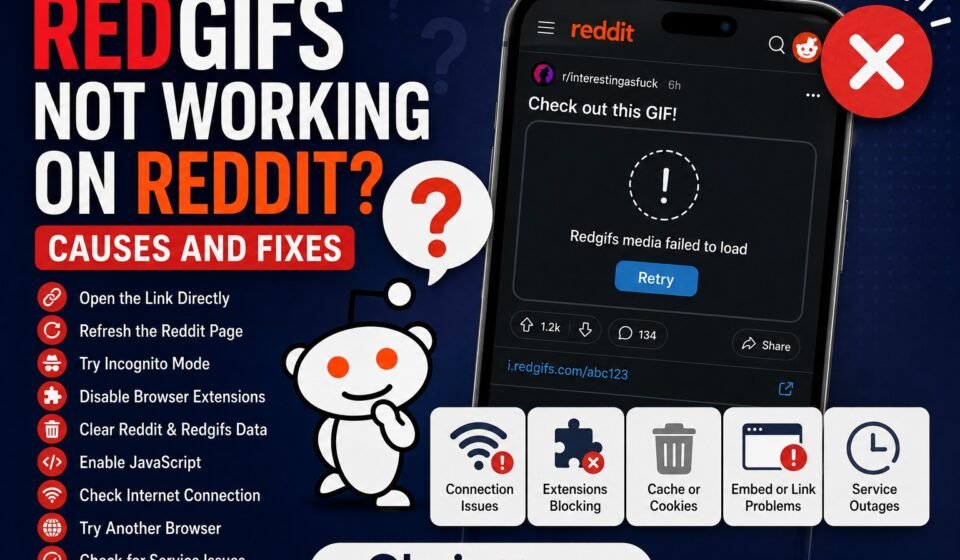

If you are experiencing redgifs not working reddit problems, you may notice that GIFs or video previews fail to load while browsing Reddit. If you’re dealing with a broader Redgifs loading problem, see our guide on Redgifs not working for general troubleshooting steps. Sometimes a Redgifs link opens correctly when visited directly but does not work when accessed through a Reddit post or comment.
This can happen for several reasons. The issue may be related to Reddit’s embedded content, your browser, cached website data, extensions, network settings, or a temporary problem affecting either service.
In this guide, we’ll explain the most common reasons Redgifs may not work on Reddit and the steps you can take to troubleshoot the problem.
Why Is Redgifs Not Working on Reddit?
When Redgifs content does not load correctly on Reddit, the problem isn’t necessarily with Redgifs itself.
There are several possibilities, including:
- Reddit’s embedded media is not loading correctly
- The Redgifs page is temporarily unavailable
- Your browser has outdated cached data
- A browser extension is blocking embedded content
- JavaScript or cookies are restricted
- Your internet connection is unstable
- DNS problems are preventing the content from loading
- The Reddit post contains an outdated or broken embed
- Temporary issues are affecting Reddit or Redgifs
The quickest way to identify the cause is to determine whether the problem affects Redgifs directly or only Redgifs content displayed through Reddit.
1. Open the Redgifs Link Directly
This is one of the most useful tests.
If you see a Redgifs link or media post on Reddit that isn’t loading, open the link directly in a new browser tab.
Then compare the results.
If Redgifs works directly
Also, If the Redgifs page loads normally when opened directly, but the media does not appear inside Reddit, the problem may be related to Reddit’s embedded content or your browser.
If Redgifs does not work directly
If the link also fails when opened outside Reddit, the problem is probably not specific to Reddit.
You should then follow the general Redgifs troubleshooting steps, such as checking your browser, connection, cache, and DNS.
2. Refresh the Reddit Page
Sometimes an embedded video simply fails to load on the first attempt.
Refresh the Reddit page and wait for the content to load completely.
If you’re using a desktop browser, you can also try a hard refresh.
On Windows, you can generally use:
Ctrl + F5
After refreshing, scroll back to the affected post and check whether the Redgifs media appears.
If other Reddit posts are loading normally but one particular Redgifs post is not, the problem could be related to that individual post or embed.
3. Try Opening Reddit in a Private Window
A private or incognito browser window provides a useful troubleshooting test.
Open a private window and visit Reddit. Find the same Redgifs post and check whether the media loads.
If it works in private browsing but not your normal browser, something in your regular browser environment may be interfering with the content.
Possible causes include:
- Cached website data
- Cookies
- Browser extensions
- Privacy settings
- Content-blocking tools
- Site permissions
This test can help you narrow down the problem without immediately changing multiple browser settings.
4. Disable Extensions Temporarily
Browser extensions are a common reason embedded content does not behave as expected.
Ad blockers, privacy extensions, script blockers, and security tools can sometimes prevent third-party content from loading.
If you’re experiencing reddit redgifs not working issues, temporarily disable your browser extensions and reload the Reddit page.
Pay particular attention to extensions that:
- Block advertisements
- Block scripts
- Restrict tracking
- Modify website content
- Block third-party requests
- Improve privacy
If the Redgifs content starts working after disabling an extension, enable your extensions one by one until you identify which one is causing the conflict.
You can then adjust that extension’s settings instead of disabling it permanently.
5. Clear Reddit and Redgifs Site Data
Old or corrupted browser data can cause websites and embedded content to behave unexpectedly. If you’re using Chrome, you can follow Google’s instructions to delete browsing data.
If Reddit previously displayed Redgifs content correctly but recently stopped doing so, clearing the relevant site data can help.
Instead of immediately deleting your entire browsing history, look for options to clear stored data for the affected websites.
After clearing the data:
- Close your Reddit tabs.
- Restart the browser.
- Open Reddit again.
- Find the same type of post.
- Test the Redgifs content.
You may need to sign back into Reddit depending on which browser data you remove.
6. Make Sure JavaScript Is Enabled
Reddit and many modern websites rely on JavaScript for dynamic content and interactive features.
If JavaScript is blocked, some embedded content may fail to load correctly.
Check your browser’s site permissions and make sure JavaScript is allowed.
If you use a script-blocking extension, check its settings as well.
After making any changes, reload Reddit and test the Redgifs content again.
7. Check Whether Other Reddit Media Works
Another useful test is to determine whether the problem affects only Redgifs.
Open several Reddit posts containing other types of media.
If images and videos from other sources load normally but Redgifs content does not, the issue may be specific to the Redgifs embed or the connection between Reddit and the external media source.
On the other hand, if many different types of Reddit media are failing to load, the problem may be related to Reddit, your browser, or your network.
This distinction can save you from making unnecessary changes to your device.
8. Try Another Browser
If you’re still asking, why is Redgifs not working on Reddit, test the same Reddit post using another modern browser.
For example, if you normally use Chrome, try another browser and open Reddit there.
If the Redgifs content works in the second browser, your original browser is likely responsible.
You can then investigate:
- Extensions
- Cookies
- Cache
- Site permissions
- JavaScript settings
- Browser updates
If the content fails in every browser, continue testing your network and the services themselves.
9. Check Your Internet Connection
Redgifs content may require additional resources to load after Reddit itself has opened.
This means Reddit may appear to work normally while an embedded video or GIF fails.
Test your connection by opening several other websites.
You can also try switching networks temporarily.
For example, if you’re using Wi-Fi, test the same Reddit post using another available connection.
If Redgifs works on one network but not another, the issue could involve the original network, DNS resolver, router, or ISP connection.
10. Restart Your Router
If other websites are also experiencing connection problems, restart your router.
Turn the router off, wait briefly, and turn it back on.
Allow the connection to fully reconnect before opening Reddit again.
This can resolve temporary network problems and may also establish a fresh connection to your DNS resolver.
If restarting the router doesn’t change anything, try another network to determine whether the problem is specific to your current connection.
11. Test the Redgifs URL Without Reddit
This is another important diagnostic step.
Suppose you encounter a Redgifs URL on Reddit.
Copy the URL and open it directly in your browser instead of accessing it through Reddit.
There are now two possible outcomes.
Redgifs works directly:
The issue is likely related to Reddit’s embed, browser behavior, or how the content is being displayed.
Redgifs does not work directly:
The issue is more likely related to Redgifs, your browser, or your network.
This simple comparison can tell you which side of the problem deserves further investigation.
12. Check Whether the Problem Affects One Post or Multiple Posts
If only one Reddit post has a broken Redgifs preview, don’t immediately assume that the entire service is down.
Try several different Reddit posts containing Redgifs content.
If only one post fails, that particular embed or link may be the problem.
If every Redgifs post fails, the issue is more likely to involve your browser, network, Reddit, or Redgifs.
Testing multiple posts gives you a much better picture of what’s actually happening.
13. Update Your Browser
An outdated browser can create compatibility problems with modern websites and embedded media.
Check whether your browser has an available update.
After updating, completely close the browser and open it again.
Then revisit Reddit and test the same Redgifs content.
Keeping your browser updated is useful not only for compatibility but also for security and performance.
14. Check for Temporary Service Problems
Sometimes there is nothing wrong with your browser or device.
Reddit or Redgifs may temporarily experience technical problems that affect media loading.
If Redgifs links fail across multiple browsers and networks, a temporary service-side problem becomes more likely.
Before changing advanced settings, wait a little while and try again.
This is particularly important when the problem suddenly begins affecting many users at the same time.
Redgifs Works Directly but Not on Reddit: What Does It Mean?
If Redgifs works perfectly when opened directly but fails when displayed through Reddit, that is an important clue.
It suggests that your basic connection to Redgifs is working.
The problem may instead involve:
- Reddit’s embedded media
- Browser permissions
- Third-party content restrictions
- Extensions
- Cookies
- Cached data
- JavaScript
- A particular Reddit post
Start by opening the Redgifs URL directly, then test Reddit in a private browser window.
If the direct link works and private browsing fixes the Reddit version, your normal browser configuration is the most likely place to investigate.
Redgifs Not Working on Reddit Mobile
The troubleshooting process can be slightly different on mobile devices.
If Redgifs content doesn’t load through the Reddit mobile experience, try the following:
- Close and reopen the Reddit app or browser.
- Check whether your internet connection is stable.
- Switch between Wi-Fi and mobile data.
- Update the Reddit app if an update is available.
- Restart your phone.
- Open the Redgifs URL directly in a mobile browser.
- Test the same content on another network.
If the direct Redgifs page works but the Reddit version does not, the issue may be specific to the way the content is being embedded or displayed.
What If Redgifs Works on Reddit but Not in My Browser?
This situation can be confusing because it suggests the website itself isn’t necessarily unavailable.
Try another browser first.
If another browser works, compare the settings between the two browsers.
Pay particular attention to:
- Extensions
- Privacy settings
- JavaScript permissions
- Cookies
- Cached data
- Content blockers
You can also try resetting the affected browser’s site permissions if you believe a setting has been changed.
Does a VPN Cause Reddit Redgifs Problems?
A VPN can change the network route and IP address used to access online services.
If Reddit and Redgifs work normally without a VPN but fail when a VPN is enabled, test another VPN server or location.
If the problem disappears after disconnecting from the VPN, the VPN connection may be contributing to the issue.
For detailed VPN-specific troubleshooting, it’s better to use a dedicated guide because VPN-related problems can have different causes from ordinary Reddit embed issues.
Quick Troubleshooting Checklist
If you’re experiencing redgifs not working reddit problems, work through this checklist:
- Open the Redgifs link directly.
- Refresh the Reddit page.
- Try Reddit in a private window.
- Disable browser extensions temporarily.
- Clear relevant browser site data.
- Check JavaScript permissions.
- Test another browser.
- Check your internet connection.
- Try another network.
- Restart your router.
- Test several different Reddit posts.
- Update your browser and Reddit app.
- Check for temporary service problems.
- Test with and without a VPN.
You don’t need to perform every step immediately. Start with the direct-link test and another browser because they provide useful information about where the problem is occurring.
Frequently Asked Questions
Why is Redgifs not working on Reddit?
Redgifs may not work on Reddit because of browser extensions, cached data, JavaScript restrictions, network problems, broken embeds, or temporary issues affecting Reddit or Redgifs.
Why is Reddit Redgifs not working but the website works directly?
If Redgifs works when opened directly but not through Reddit, the problem may involve the Reddit embed, browser settings, extensions, cookies, or JavaScript.
How do I fix Redgifs not working on Reddit?
Start by opening the Redgifs link directly. Then try refreshing Reddit, using private browsing, disabling extensions, clearing site data, testing another browser, and checking your network connection.
Why do some Redgifs posts work while others don’t?
A specific Reddit post may contain a broken, outdated, or unavailable Redgifs embed. Test several different posts to determine whether the problem affects all Redgifs content or only one link.
Is Redgifs down or is Reddit the problem?
Test the Redgifs URL directly and compare it with several Reddit posts. If Redgifs fails everywhere, the service or your connection may be responsible. If Redgifs works directly but not through Reddit, the Reddit embed or browser environment may be involved.
Final Thoughts
When redgifs not working reddit problems occur, the first step is to determine whether Redgifs itself is unavailable or whether the problem only affects its content inside Reddit.
Open the Redgifs URL directly, test another browser, use private browsing, and temporarily disable extensions. If the problem continues, investigate your network, DNS, browser settings, and possible service interruptions.
The most useful troubleshooting method is to change one variable at a time. That makes it much easier to identify the actual cause instead of changing several settings without knowing which one fixed the problem.