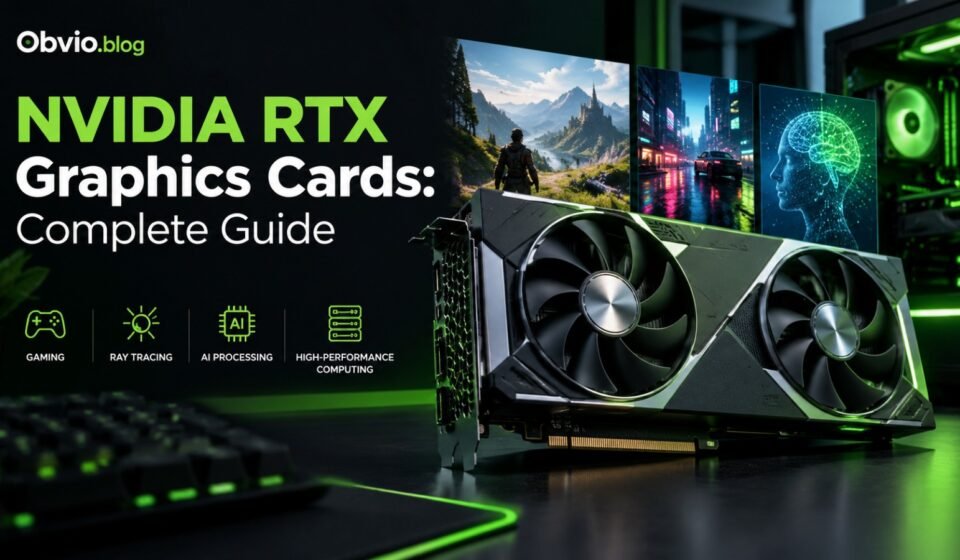

If you play PC games, edit videos, create 3D designs, or work with artificial intelligence, you have probably heard about NVIDIA RTX graphics cards. These GPUs are known for their powerful graphics processing, ray tracing technology, and AI-based features.
However, choosing the right graphics card can be confusing. There are different models, generations, memory capacities, performance levels, and prices. A high-end GPU may be excellent for 4K gaming, but it can be unnecessary for someone who mainly plays games at 1080p.
This guide explains nvidia rtx graphics cards in simple English. You will learn what RTX means, how the different models compare, which features matter, and how to choose a graphics card for your needs.
What Is NVIDIA RTX?
NVIDIA RTX is a graphics technology and product branding associated with dedicated graphics processing units (GPUs) designed for gaming, professional graphics, and other demanding workloads.
RTX graphics cards use specialized hardware to support technologies such as ray tracing and AI-assisted rendering. Depending on the GPU model and supported software, they can improve visual quality, rendering performance, and responsiveness.
For example, an RTX graphics card can help you:
- Play modern PC games with detailed graphics.
- Use ray tracing for more realistic lighting and reflections.
- Increase frame rates with supported AI-based rendering technologies.
- Edit high-resolution videos and work with demanding creative software.
- Render 3D scenes and animations.
- Run certain AI applications locally on your computer.
Not every RTX card delivers the same performance. The RTX 5090 is a flagship gaming GPU, while models such as the RTX 5070 and RTX 5060 target different performance and budget levels. NVIDIA also sells professional RTX products for workstation applications.
What Does RTX Stand For?
RTX is NVIDIA’s branding for its graphics products and technologies that combine real-time ray tracing capabilities with AI-accelerated graphics features.
The important point is not just the name. RTX graphics cards contain specialized hardware that helps compatible applications perform tasks that would otherwise be more demanding.
Two major technologies are:
- Ray tracing: Simulates how light interacts with objects to produce realistic reflections, shadows, and illumination.
- AI acceleration: Uses dedicated Tensor Cores and supported software to accelerate selected AI and graphics workloads.
The benefits depend on the GPU, application, settings, and whether the software supports these features.
NVIDIA RTX Graphics Card Generations
NVIDIA has released multiple generations of RTX gaming graphics cards. Each generation introduces different hardware capabilities and performance levels.
RTX 50 Series: Blackwell

The GeForce RTX 50 Series uses NVIDIA’s Blackwell architecture. It includes cards for high-end gaming, mainstream gaming, and more budget-conscious systems.
The lineup includes:
- RTX 5090
- RTX 5080
- RTX 5070 Ti
- RTX 5070
- RTX 5060 Ti
- RTX 5060
- RTX 5050
These GPUs use fifth-generation Tensor Cores and fourth-generation ray tracing cores. The series also supports NVIDIA’s newer DLSS technologies, with specific features varying by product and software support.
RTX 40 Series: Ada Lovelace
The RTX 40 Series includes models such as the RTX 4090, RTX 4080, RTX 4070, RTX 4060, and their variants.
These cards remain relevant for gaming, video editing, streaming, and creative work. Depending on local pricing, an RTX 40 Series GPU may be worth considering if it costs considerably less than a comparable newer model.
RTX 40 Series cards support DLSS 3 features, including Frame Generation on compatible games. Feature availability varies by model and software.
RTX 30 Series: Ampere
The RTX 30 Series includes the RTX 3090, RTX 3080, RTX 3070, and RTX 3060.
These graphics cards can still be useful for gaming and creative workloads. However, buyers should check used-card condition, power consumption, available memory, warranty, and local prices before making a decision.
An older high-end GPU can sometimes offer strong performance for the money, but age alone does not determine value.
NVIDIA RTX Graphics Cards Compared
The following table provides a quick overview of selected GeForce RTX models. These are reference specifications, not a guarantee of performance in every game or application.
| Graphics card | Architecture | Memory | General target |
|---|---|---|---|
| RTX 5090 | Blackwell | 32 GB GDDR7 | Flagship gaming and demanding creative workloads |
| RTX 5080 | Blackwell | 16 GB GDDR7 | High-end gaming |
| RTX 5070 Ti | Blackwell | 16 GB GDDR7 | Upper-midrange to high-end gaming |
| RTX 5070 | Blackwell | 12 GB GDDR7 | Mainstream to upper-midrange gaming |
| RTX 5060 Ti | Blackwell | 8 GB or 16 GB GDDR7 | Mainstream gaming |
| RTX 5060 | Blackwell | 8 GB GDDR7 | Mainstream 1080p gaming |
| RTX 5050 | Blackwell | 8 GB GDDR6 | Entry-level gaming |
The memory configurations above are listed by NVIDIA for its reference product lineup. Third-party card designs can differ in cooling, dimensions, clock speeds, and other features.
Which RTX card is the most powerful?
The GeForce RTX 5090 is the flagship model in the RTX 50 Series. It has 32 GB of GDDR7 memory and is intended for demanding gaming and creative workloads.
For gamers looking for a balance between high-end performance and price, our guide to NVIDIA RTX 5070 Ti specifications and performance explains its features, gaming capabilities, power requirements, and value.
However, the most powerful GPU is not necessarily the best purchase for everyone. Your monitor resolution, game selection, budget, processor, power supply, and workload all affect which card makes sense.
For detailed specifications, gaming performance, power requirements, and buying advice, read our NVIDIA RTX 5090 specifications and price guide.
Main Features of NVIDIA RTX Graphics Cards
1. Ray tracing

Ray tracing is a graphics technique that simulates the behavior of light. It can make games look more realistic by improving reflections, shadows, and lighting.
For example, in a city-based game, ray tracing may produce more realistic reflections on wet roads and glass buildings.
The downside is that ray tracing can require substantial GPU processing power. Enabling it may reduce frame rates, especially at high resolutions. The impact depends on the game, graphics settings, and GPU.
2. NVIDIA DLSS
DLSS stands for Deep Learning Super Sampling. It uses AI-based techniques to improve rendering performance and, in supported games, image quality.
Depending on the GPU and game, DLSS can provide features such as:
- Super Resolution: Reconstructs a higher-resolution image from a lower-resolution rendering.
- Ray Reconstruction: Uses AI to improve certain ray-traced image effects.
- Frame Generation: Generates additional frames to increase displayed frame rates.
- Multi Frame Generation: On supported RTX 50 Series GPUs and compatible games, generates multiple additional frames.
DLSS can be helpful when a game is demanding. However, generated frames are not the same as frames rendered directly by the GPU, so you should also consider responsiveness, image quality, and underlying performance.
Check the official NVIDIA DLSS page for current features and supported games.
3. AI processing
RTX graphics cards include Tensor Cores, specialized hardware designed to accelerate certain AI computations.
Depending on the model, software, and available memory, this hardware can help with:
- AI-assisted image generation
- Video enhancement
- Background removal and noise reduction
- Machine-learning development
- Local AI applications
- AI-assisted graphics and rendering
Not every AI application requires an expensive GPU. For many lightweight tasks, an existing computer or cloud service may be sufficient. Larger models and more demanding workloads may benefit from additional GPU memory and computing power.
4. Video encoding and streaming
Many RTX cards include NVIDIA’s NVENC hardware video encoder. Compatible streaming and editing applications can use it to encode video without relying entirely on the CPU.
This is useful for gamers who stream gameplay, content creators who record videos, and professionals who work with video production software.
Encoder capabilities vary by generation and model, so check the official specifications if you need a particular codec or workflow.
5. NVIDIA Reflex
NVIDIA Reflex is designed to reduce system latency in supported games. Lower latency can help make controls feel more responsive, especially in competitive games where quick reactions matter.
Its benefit depends on the game, hardware configuration, and selected settings. It does not automatically guarantee a higher frame rate.
Which NVIDIA RTX Graphics Card Should You Buy?
The best choice depends on what you want to do with your computer.

For 4K gaming and demanding workloads
Consider the RTX 5090 or RTX 5080 if your budget supports a high-end system. The RTX 5090 is better suited to users who need flagship performance, while the RTX 5080 is a less expensive high-end alternative. For detailed specifications, gaming benchmarks, power requirements, and buying advice, read our NVIDIA RTX 5080 gaming performance guide.

For 1440p gaming
Compare the RTX 5070 Ti and RTX 5070. They offer different performance and memory configurations, so consider independent benchmarks for the games you play.

For 1080p gaming
The RTX 5060 is a model to investigate if you want a current-generation GPU without paying flagship prices. Check game requirements and memory use before buying.

For professional work
Compare GeForce cards with professional workstation GPUs based on your software, memory needs, driver requirements, and workload. Some professional applications benefit from workstation-specific features.
These are starting points, not universal performance rankings. Before purchasing, check independent benchmarks for your intended games or applications.
NVIDIA RTX Prices: What Should You Expect?
Graphics card prices change by country, retailer, model, stock levels, and demand. The manufacturer’s suggested starting price is not necessarily the price you will pay.
At launch, NVIDIA announced U.S. starting prices of $1,999 for the RTX 5090, $999 for the RTX 5080, $749 for the RTX 5070 Ti, and $549 for the RTX 5070. These are historical launch prices, not verified current retail prices.
To estimate the current cost, check:
- NVIDIA’s official product pages.
- Authorized local retailers.
- Prices for different manufacturers’ card designs.
- Warranty and return policies.
- Shipping, taxes, and import costs where applicable.
For buyers in Pakistan, local stock and import pricing can differ substantially from U.S. launch prices. Compare the complete cost in Pakistani rupees rather than relying on a direct currency conversion.
What to Check Before Buying an RTX GPU
A graphics card’s model number is only one part of the buying decision. Check these factors before spending your money.
Memory capacity
GPU memory, or VRAM, stores graphics data and other assets used during rendering.
More VRAM can be helpful for high-resolution gaming, large textures, 3D projects, and some AI applications. However, memory capacity alone does not determine performance. GPU processing power, memory bandwidth, architecture, and software support also matter.
Power supply requirements
Powerful GPUs may need a high-wattage power supply and suitable power connectors.
Check the manufacturer’s recommended system power, the GPU’s power requirements, and the quality of your existing power supply. Do not assume that a power supply is suitable just because its wattage appears sufficient.
Physical size and cooling
Some graphics cards are large and may not fit inside smaller computer cases. Check card length, thickness, available expansion slots, airflow, and cooling clearance.
Processor compatibility
A slow CPU can limit GPU performance in some games, particularly at lower resolutions and high frame rates.
For a balanced PC, consider the CPU, memory, motherboard, monitor, and GPU together rather than upgrading only one component.
Monitor resolution
A 1080p monitor, 1440p monitor, and 4K monitor place different demands on a graphics card.
Choose a GPU based on the resolution, refresh rate, graphics settings, and frame rate you actually want.
New versus used graphics cards
A used RTX card can be a good value, but inspect its condition, test it under load, check temperatures, and verify the warranty and seller’s return policy. Compare its total cost with newer alternatives before deciding.
NVIDIA RTX vs GTX: What Is the Difference?
NVIDIA GTX and RTX are different graphics product families. RTX cards are associated with dedicated ray tracing and AI acceleration hardware, while older GTX cards generally lack the same dedicated RTX feature set.
| Feature | RTX graphics cards | Older GTX graphics cards |
|---|---|---|
| Ray tracing | Hardware-accelerated on supported models | No dedicated RTX ray tracing cores |
| Tensor Cores | Available on RTX models | Generally not available |
| DLSS | Supported features vary by model | RTX-specific DLSS features generally unavailable |
| Gaming performance | Varies by model and generation | Varies by model and generation |
| Best use | Modern gaming, creative work, and supported AI workloads | Budget gaming and older systems |
If you are building a new gaming PC, compare the cost and performance of specific models rather than assuming every RTX card is faster than every GTX card.
Frequently Asked Questions
What is NVIDIA RTX used for?
NVIDIA RTX graphics cards are used for PC gaming, ray-traced graphics, video editing, 3D rendering, streaming, and supported AI applications. The available features depend on the model and software.
Which NVIDIA RTX graphics card is the most powerful?
The GeForce RTX 5090 is the flagship GPU in the GeForce RTX 50 Series lineup. It has 32 GB of GDDR7 memory and targets demanding gaming and creative workloads.
Is NVIDIA RTX good for gaming?
Yes. RTX cards offer a range of options for gaming, from mainstream models to high-end GPUs. The right choice depends on your budget, monitor resolution, desired frame rate, and the games you play.
Is RTX 5060 enough for gaming?
The RTX 5060 can be suitable for many 1080p gaming setups. However, performance varies by game and graphics settings, and its 8 GB of VRAM may limit some demanding workloads. Check independent benchmarks before buying.
Is RTX 5070 better than RTX 5060?
The RTX 5070 is a higher-tier GPU with more CUDA cores and 12 GB of GDDR7 memory, compared with the RTX 5060’s 3,840 CUDA cores and 8 GB of GDDR7 memory. It generally targets a higher performance level, although actual results vary by application.
What is the difference between RTX 5090 and RTX 5080?
The RTX 5090 is the higher-tier card, with 32 GB of GDDR7 memory and 21,760 CUDA cores. The RTX 5080 has 16 GB of GDDR7 memory and 10,752 CUDA cores. RTX 5090 is designed for more demanding workloads, but its higher cost may not be justified for every gamer.
Can NVIDIA RTX graphics cards run AI models?
Yes. RTX GPUs can accelerate supported AI applications, and available VRAM is an important consideration. The size of the model, software framework, quantization, and workload determine whether a particular card is suitable.
Should I buy an older RTX 30 or RTX 40 Series card?
An older model can be worth buying if its price, performance, power requirements, and condition make sense. Compare real-world benchmarks and the total cost against newer alternatives instead of choosing by generation alone.
Conclusion
NVIDIA RTX graphics cards cover a wide range of needs, from everyday gaming to high-end rendering and AI workloads. The RTX 50 Series introduces Blackwell architecture, newer ray tracing hardware, fifth-generation Tensor Cores, and advanced DLSS capabilities.
However, the best GPU is not necessarily the most expensive one. Consider your budget, monitor resolution, preferred games, power supply, memory requirements, and local availability before choosing.
Use this guide as a starting point, then explore our detailed model-specific comparisons to find the graphics card that fits your needs.


[…] If you want to understand the wider product lineup first, read our NVIDIA RTX graphics cards complete guide. […]
[…] If you are new to NVIDIA’s graphics lineup, start with our NVIDIA RTX graphics cards complete guide. […]
[…] guide explains the nvidia rtx 5070 ti specifications, gaming performance, features, pricing, power requirements, advantages, disadvantages, and the type of user who should […]