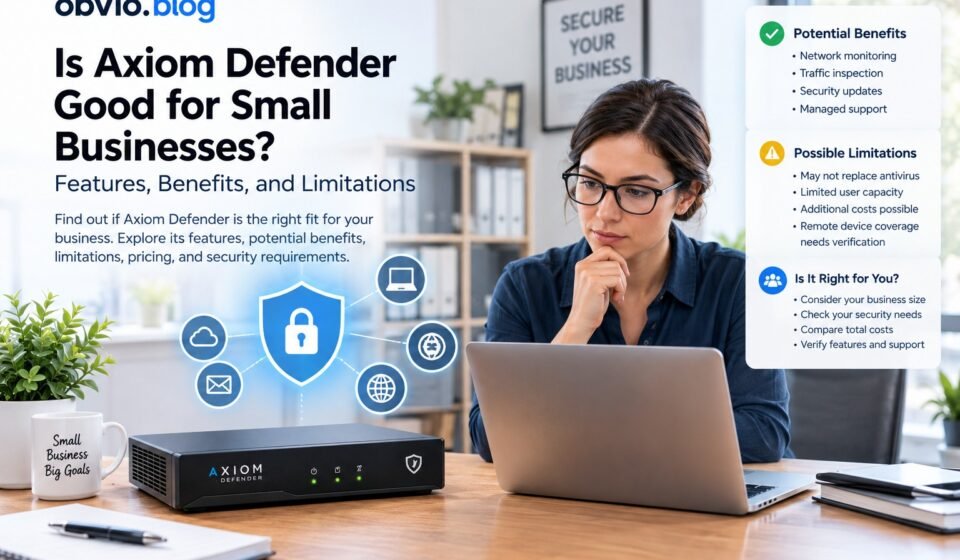
Is Axiom Defender Suitable for a Small Business? Features, Benefits, and Limitations

Small businesses increasingly rely on connected computers, cloud applications, email, online payments, and digital customer records. These technologies improve productivity, but they also create security risks that business owners need to manage.
Choosing cybersecurity protection is not always straightforward. Some businesses need better network monitoring, while others need stronger endpoint protection, email security, or help managing security incidents.
Axiom Defender is a network security product listed by BrickHouse Security for small businesses. The seller describes it as a device that monitors incoming and outgoing network traffic and connects to Axiom’s threat-defense system.
But is it suitable for your organization?
This guide examines Axiom Defender for small business, including its advertised features, potential benefits, limitations, pricing considerations, and the questions you should ask before purchasing.
What Is Axiom Defender for Small Business?
Axiom Defender is marketed as a network security device intended to help small businesses monitor and protect their internet-connected networks.
According to the Axiom Defender product listing, the device is designed to sit behind a business’s internet connection and inspect incoming and outgoing traffic.
The seller advertises several features:
- 24/7 network monitoring.
- Incoming and outgoing traffic inspection.
- Daily security updates.
- Monitoring for potential network intrusions and suspicious activity.
- Contact from a specialist when a threat is detected, according to the product description.
- Support for up to five users under the advertised small-business plan.
The listing reviewed for this article advertises a subscription price of $129 per month. Pricing, technical specifications, and service terms should be confirmed directly with the provider before purchase.
These details describe the seller’s claims. They should not be interpreted as independent proof of the product’s detection accuracy or effectiveness against every type of cyberattack.
How Can Axiom Defender Help a Small Business?
A network security device may provide additional visibility into activity passing through a business network. Whether it provides meaningful protection depends on its technical capabilities, configuration, and the business’s existing security controls.
1. Monitoring network traffic
Small businesses may not have employees available to review network activity throughout the day.
A monitoring solution can help identify unusual connections or suspicious traffic patterns. However, businesses should ask which events the product can detect, how alerts are prioritized, and whether someone investigates serious incidents.
2. Providing another layer of network protection
Network-level security can help businesses manage traffic between internal systems and the internet.
Depending on the product’s capabilities, this type of protection may complement an existing router or firewall. Before installation, confirm how Axiom Defender interacts with your current equipment and whether it provides firewall functions or primarily focuses on monitoring.
3. Supporting businesses with limited IT resources
A small organization may not employ a dedicated cybersecurity team.
The seller describes specialist contact when a threat is detected. This could be useful if the service includes meaningful technical assistance, but the exact response process should be verified.
Ask whether the subscription includes investigation, containment, remediation, recovery support, and incident reporting, or whether these services require additional payment.
4. Improving visibility into network activity
A network security device may help administrators understand what is happening on their network.
Useful visibility depends on the quality of logs, alert descriptions, reporting tools, and the provider’s ability to explain suspicious events. Ask whether reports can be downloaded and how long security logs remain available.
Which Small Businesses Should Consider Evaluating Axiom Defender?
The product may be worth evaluating for certain organizations, but suitability depends on the business’s size, infrastructure, risks, and security requirements.
Small offices with a centralized network
A business operating from one office may want additional monitoring for its internet connection and internal network.
Before purchasing, confirm that the device supports the office’s router, network layout, connected devices, and existing firewall configuration.
Businesses without dedicated IT staff
A business owner who manages technology alongside other responsibilities may value a service that provides monitoring and clear security alerts.
However, monitoring is not the same as complete managed security. Verify who responds to incidents and what assistance the subscription actually includes.
Businesses with several connected devices
Even a small office may have computers, printers, smart devices, network storage, and guest Wi-Fi.
A network security solution may be relevant, but confirm supported device counts, network segmentation requirements, and whether all relevant traffic passes through the device.
Businesses seeking additional network visibility
An organization that already uses antivirus software and a router firewall may want to investigate whether an additional network monitoring layer addresses a specific gap.
First identify what the existing tools already do. Adding a product without understanding its role may increase cost and complexity without resolving an important risk.
Who May Need Additional or Different Security Controls?
A network security device alone may not meet every business’s requirements.
Businesses with remote employees
Employees who work from home or travel may connect directly to cloud applications and company resources without passing through the office network.
Ask whether Axiom Defender protects remote devices and connections outside the office. Endpoint protection, secure remote access, and centralized device management may be necessary.
Businesses handling sensitive information
Organizations that process financial information, customer records, or confidential business documents may have additional security and privacy obligations.
They should review access controls, encryption, data retention, backups, monitoring, incident response, and any applicable compliance requirements.
Do not assume that purchasing one security device automatically satisfies regulatory or contractual obligations.
Businesses that depend heavily on email and cloud applications
Phishing attacks and stolen credentials can compromise business email or cloud accounts even when the office network has security equipment.
Multifactor authentication, email filtering, secure account configuration, and employee awareness remain important.
Businesses with multiple offices
Companies with several locations may need centralized administration, consistent security policies, secure connections between offices, and detailed reporting.
Confirm whether the product supports the required network architecture before considering it for a multi-site environment.
Axiom Defender Features: What Should You Verify?
The product listing advertises network monitoring, traffic inspection, and daily updates. Before relying on these features, ask the seller to explain how they work in practice.
Network monitoring and threat detection
Request documentation describing the threat categories the device can identify, how alerts are generated, and what happens after suspicious activity is detected.
If independent performance testing is available, review its scope and date rather than relying only on marketing statements.
Traffic inspection
Ask whether the device filters traffic or primarily monitors it. Confirm whether it inspects encrypted connections, supports your required protocols, and can block threats automatically.
Security updates
Find out whether updates are automatic, how quickly important security fixes are delivered, and what happens if the device cannot contact the provider’s systems.
Specialist assistance
Clarify the distinction between receiving an alert and receiving active incident-response assistance.
Ask for response-time commitments, support hours, escalation procedures, and details of any additional charges.
Compatibility and installation
Check whether the device works with your existing router, firewall, Wi-Fi configuration, network storage, and remote-access tools.
If the network supports critical business operations, have a qualified administrator review the proposed installation before changing the configuration.
What Does Axiom Defender Cost?
The BrickHouse Security listing reviewed for this article advertises a subscription of $129 per month. It also describes a plan for up to five users.
At that advertised rate, the subscription would total $1,548 over twelve months, assuming the price remains unchanged.
Before purchasing, confirm the current price and ask about:
- Hardware inclusion and replacement terms.
- Installation and configuration.
- Additional users or locations.
- Endpoint protection and antivirus.
- Email security and backup services.
- Incident investigation and remediation.
- Support availability and cancellation conditions.
A monthly subscription should be compared with the complete cost of meeting your security requirements, not with the price of an individual feature alone.
For a detailed breakdown, read our guide to Axiom Defender pricing, subscription costs, features, and value.
Axiom Defender vs. Other Cybersecurity Options
Small businesses can use several types of security controls. Each has a different purpose, and the appropriate combination depends on the organization’s risks.
| Security option | Main purpose | What to consider |
|---|---|---|
| Network security device | Monitors or controls network activity, depending on capabilities | Detection coverage, reporting, compatibility, and response |
| Traditional firewall | Filters network connections according to security rules | Configuration, access policies, and advanced features |
| Antivirus software | Detects and blocks malicious software on supported devices | Device coverage, detection, and centralized management |
| Endpoint detection and response | Provides more advanced endpoint monitoring and investigation | Alert handling, investigation, and incident containment |
| Email security | Helps identify phishing, spam, and malicious email content | Account integration, filtering, and impersonation protection |
| Backup and recovery | Helps restore data and systems after disruption | Backup isolation, retention, and restoration testing |
These tools are not direct substitutes for one another.
For a more detailed comparison, read Axiom Defender vs. Traditional Firewall and Antivirus: What Is the Difference?
How to Decide Whether Axiom Defender Fits Your Business
Use a structured assessment rather than deciding based on the product description alone.
Step 1: Identify your important assets
List your business email accounts, customer records, financial systems, computers, cloud applications, network devices, and other critical assets.
Determine which systems would cause the greatest disruption if they were compromised or unavailable.
Step 2: Review your existing security controls
Document the protection already provided by your router, firewall, antivirus, cloud services, email platform, and backup systems.
Identify any gaps rather than assuming every existing tool is ineffective.
Step 3: Ask the provider specific questions
Request written answers about supported devices, detection capabilities, remote access, incident response, logging, privacy, and service commitments.
If the seller cannot explain how an important requirement is addressed, treat that requirement as unverified.
Step 4: Compare the total cost
Calculate the annual subscription and add any separate services needed to meet your requirements.
Compare alternatives on equivalent coverage, support, and technical capabilities rather than monthly price alone.
Step 5: Plan for incidents and recovery
Determine how your business will respond if an employee account is compromised, ransomware affects a computer, or important data becomes unavailable.
Make sure employees know whom to contact and that backups can be restored.
For a complete overview of the product and its advertised capabilities, read our guide to Axiom Defender Small Business Cyber Security: Features, Pricing, and Review.
Essential Cybersecurity Practices for Small Businesses
Regardless of which product you choose, maintain basic security measures across your business.
Enable multifactor authentication
Require multifactor authentication for business email, cloud applications, administrator accounts, and remote access wherever possible.
Keep software updated
Apply security updates to operating systems, applications, routers, and connected devices. Replace unsupported software that no longer receives security fixes.
Maintain secure backups
Back up important files and business systems regularly. Protect backup access from compromised accounts and test recovery procedures.
Restrict access
Give employees only the access they need. Review administrator privileges and remove access when employees or contractors leave.
Train employees
Teach staff to recognize suspicious links, unexpected attachments, fraudulent payment requests, and impersonation attempts.
Prepare an incident-response plan
Document who investigates an incident, how affected devices are isolated, how systems are restored, and how customers or relevant authorities will be contacted when required.
The FTC’s cybersecurity guidance for small businesses and CISA’s small-business cybersecurity resources offer additional recommendations.
Frequently Asked Questions
Is Axiom Defender suitable for every small business?
Not necessarily. Suitability depends on the business’s network, user count, security requirements, existing tools, and need for remote-device protection. Verify the product’s capabilities before purchasing.
What is the advertised Axiom Defender price?
The BrickHouse Security listing reviewed for this article advertises $129 per month. Confirm the current subscription price and included services directly with the seller.
Does Axiom Defender replace a traditional firewall?
Do not assume that it does. Ask the seller whether the product includes firewall rules, access controls, intrusion prevention, and other features required by your network.
Does Axiom Defender replace antivirus software?
The available listing emphasizes network monitoring and traffic inspection. It does not establish that a separate endpoint antivirus product is included. Confirm this with the provider and maintain suitable endpoint protection.
Is Axiom Defender enough to protect a business from ransomware?
No single network security product should be assumed to prevent every ransomware attack. Businesses also need appropriate endpoint protection, access controls, software updates, secure backups, and incident-response procedures.
What should I check before buying Axiom Defender?
Verify the current price, supported users and devices, network compatibility, threat-detection capabilities, response commitments, privacy practices, and any additional costs.
Conclusion
Axiom Defender is marketed as a network security product for small businesses, with advertised capabilities that include continuous network monitoring and traffic inspection.
It may be worth evaluating if your business needs additional network visibility, but suitability cannot be established from the advertised features alone. Technical documentation, compatibility, service commitments, and total cost should guide your decision.
Before purchasing, identify your security requirements, review the tools you already use, and confirm which risks the product addresses. Combine appropriate network protection with endpoint security, multifactor authentication, backups, software updates, and employee awareness.
This approach helps small businesses make informed cybersecurity decisions without assuming that a single product can eliminate every digital risk.



[…] To evaluate the product against your business requirements, read Is Axiom Defender suitable for a small business? Features, benefits, and limitations. […]