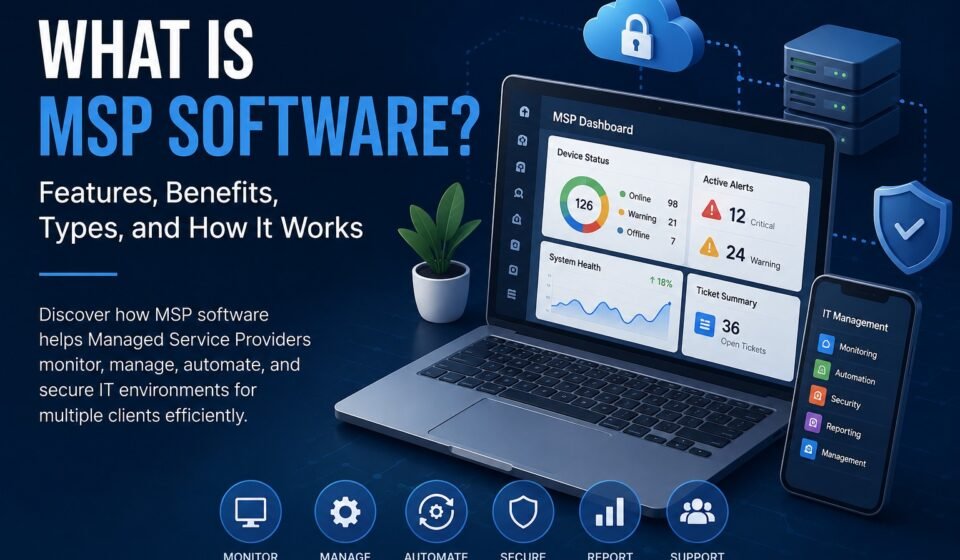

If you manage IT services for multiple businesses, keeping track of devices, users, tickets, security issues, backups, billing, and maintenance can quickly become difficult. This is where MSP software comes in.
MSP software is a category of technology designed to help managed service providers monitor, manage, support, secure, and automate IT environments for their clients. Instead of relying on separate tools for every task, an MSP can use specialized software to centralize important workflows and improve the way services are delivered.
But what is MSP software exactly, what does it do, and why has it become so important for modern managed service providers?
In this guide, we’ll explain how MSP software works, the main types of MSP tools, their most important features, their benefits, and what businesses should consider when choosing an MSP software platform.
Quick Answer: What Is MSP Software?
MSP software is technology that helps managed service providers manage IT services for multiple clients from a centralized platform.
Depending on the software, an MSP platform may include remote monitoring and management, help desk ticketing, automation, asset management, cybersecurity, backup management, reporting, time tracking, billing, and client communication features.
The goal is simple: help MSPs manage more clients efficiently while reducing manual work and improving service quality.
What Does MSP Stand For?
MSP stands for Managed Service Provider.
A managed service provider is a company that remotely manages IT infrastructure, systems, applications, devices, networks, security, or other technology services for businesses.
Rather than hiring a large internal IT department, a business may work with an MSP to handle some or all of its technology requirements.
For example, an MSP might manage:
- Computers and laptops
- Servers
- Business networks
- Cloud environments
- Microsoft 365 or other productivity platforms
- Cybersecurity
- Data backups
- Software updates
- Help desk support
- Device monitoring
- User accounts
- IT infrastructure
Because MSPs frequently manage technology for multiple customers at the same time, they need specialized tools to organize and automate their operations.
That’s where MSP software becomes useful.
How Does MSP Software Work?
MSP software typically connects an MSP’s technicians and business operations through a centralized system.
Depending on the platform, an MSP may install an agent on a customer’s computers or servers. The software can then collect information about device health, performance, security events, and other technical conditions.
When a problem is detected, the system may alert a technician or automatically perform a predefined action.
For example:
- A customer’s server begins running low on storage.
- The monitoring system detects the issue.
- An alert is generated.
- The MSP technician receives the notification.
- An automated script may remove temporary files or perform another approved action.
- If the problem requires human intervention, a support ticket can be created.
- The technician resolves the issue and documents the work.
This type of workflow allows MSPs to identify problems before they become major disruptions.
What Are MSP Tools?
If you’re asking “what is MSP tool?”, an MSP tool is simply a software application or platform that helps a managed service provider perform a specific operational or technical task.
There isn’t just one type of MSP tool.
An MSP may use several different tools for different purposes, including:
- Remote monitoring and management tools
- Professional services automation tools
- Help desk and ticketing systems
- Backup management tools
- Cybersecurity platforms
- Network monitoring tools
- Documentation systems
- Asset management software
- Password management tools
- Reporting platforms
- Billing and invoicing software
- Automation and scripting tools
Some platforms combine several of these capabilities into a single product.
Therefore, when someone searches for “what is MSP tools,” they’re usually looking for an explanation of the different software categories used by managed service providers.
Main Types of MSP Software
MSP software is not a single product category. It includes several types of solutions that address different parts of an MSP’s workflow.
1. Remote Monitoring and Management (RMM) Software
RMM software is one of the most important tools used by many MSPs.
Remote monitoring and management platforms allow technicians to monitor client devices and IT infrastructure remotely.
Typical RMM capabilities include:
- Device monitoring
- Server monitoring
- Network monitoring
- Performance alerts
- Patch management
- Remote access
- Software deployment
- Automated maintenance
- Scripting
- Endpoint management
Instead of manually checking every computer, technicians can use an RMM platform to monitor many devices from a centralized dashboard.
This can significantly improve efficiency when an MSP is responsible for hundreds or thousands of endpoints.
2. Professional Services Automation (PSA) Software
PSA software focuses more on the business and service-delivery side of an MSP.
An MSP PSA platform may help manage:
- Support tickets
- Service requests
- Customer information
- Contracts
- Service-level agreements
- Time tracking
- Scheduling
- Project management
- Invoicing
- Reporting
RMM and PSA systems are often used together.
For example, an RMM platform might detect that a client’s computer has a problem, while the PSA system can create a ticket, assign the task to a technician, track the time spent resolving it, and record the work for reporting or billing.
3. MSP Backup Software
Backup is another major part of managed IT services.
MSP backup software helps providers manage data protection for multiple customers.
Depending on the solution, features may include:
- Automated backups
- Cloud backups
- Server backups
- Endpoint backups
- Backup monitoring
- Backup alerts
- Recovery management
- Backup reporting
- Retention policies
Centralized backup management can make it easier for MSP technicians to identify failed backups and respond before a customer needs to recover lost data.
4. Cybersecurity and Endpoint Protection
Cybersecurity has become an essential component of managed IT services.
MSPs may use specialized security platforms to protect customer environments against threats such as malware, ransomware, unauthorized access, and suspicious activity.
Security-related MSP tools can include:
- Endpoint protection
- Managed detection and response
- Email security
- Vulnerability management
- Identity management
- Security monitoring
- Firewall management
- Password management
Some MSP software platforms integrate security capabilities directly, while others connect with specialized third-party security products.
5. Network Monitoring Software
Network monitoring tools allow MSPs to observe the health and performance of customer networks.
They can monitor elements such as:
- Routers
- Switches
- Firewalls
- Access points
- Servers
- Internet connections
- Network traffic
- Availability
If a network device becomes unavailable or performance drops below a defined threshold, the monitoring system can notify the MSP.
6. IT Documentation Software
Documentation is often overlooked, but it is extremely important for MSP operations.
An MSP may need to maintain information about:
- Network configurations
- Client infrastructure
- Hardware
- Software
- Credentials
- Procedures
- Vendor information
- IT policies
- Technical diagrams
A centralized documentation system allows technicians to access important client information without relying on scattered notes or individual files.
Key Features of MSP Software
Different MSP platforms offer different capabilities, but there are several features that are particularly valuable.
Centralized Management
Managing multiple clients from one dashboard can reduce the need to constantly switch between applications.
A centralized interface can provide technicians with visibility into devices, alerts, tickets, and other important information.
Automation
Automation is one of the biggest advantages of modern MSP software.
Common automated tasks include:
- Software updates
- Patch deployment
- Device maintenance
- Alert generation
- Ticket creation
- Backup monitoring
- Routine scripts
- Reporting
Automation allows technicians to spend less time performing repetitive tasks manually.
Remote Access
Remote access allows technicians to troubleshoot and manage systems without physically visiting the customer’s location.
This is particularly valuable for MSPs that support geographically distributed customers.
Monitoring and Alerts
Continuous monitoring helps MSPs identify potential problems quickly.
Instead of waiting for a customer to report that something has stopped working, technicians may receive an alert when a system shows signs of a problem.
Ticket Management
Ticketing capabilities allow MSPs to organize customer support requests.
A ticketing system can help track:
- Who reported the problem
- What the problem is
- Which technician is responsible
- Current status
- Time spent
- Resolution
- Customer communication
Reporting
Reporting gives MSPs insight into both technical performance and business operations.
Reports may cover:
- Device health
- Security status
- Backup status
- Ticket volume
- Technician productivity
- SLA performance
- Service usage
These reports can also help MSPs demonstrate the value of their services to customers.
Benefits of Using MSP Software
The right MSP software can provide several operational benefits.
1. Better Efficiency
Automation and centralized management can reduce repetitive manual work.
Technicians can manage more devices and customers without increasing their workload at the same rate.
2. Faster Problem Resolution
Monitoring and automated alerts allow MSPs to discover problems earlier.
A technician may be able to address an issue remotely before it becomes a serious business disruption.
3. Improved Customer Service
Customers generally expect fast responses and reliable IT support.
MSP software can help providers organize requests, monitor service performance, and maintain better communication with customers.
4. Easier Management of Multiple Clients
An MSP may support dozens or even hundreds of businesses.
Without appropriate software, keeping track of every client’s infrastructure can become extremely difficult.
MSP tools provide centralized visibility across customer environments.
5. Reduced Manual Work
Automation can handle repetitive operational tasks that would otherwise consume technician hours.
This can allow employees to focus on more complex technical problems and strategic projects.
6. Better Scalability
One of the biggest challenges for an MSP is growing its customer base without allowing operational costs to grow at the same rate.
Efficient software and automation can make it easier to scale service delivery.
MSP Software vs Traditional IT Management Tools
Traditional IT teams can use individual tools for monitoring, ticketing, backup, security, documentation, and other tasks.
An MSP has a different challenge because it needs to manage multiple customer environments.
MSP-focused software is generally designed with multi-client management in mind.
For example, a technician may need to move between several customer accounts while maintaining separate:
- Devices
- Tickets
- Policies
- Contracts
- Security settings
- Reports
- Service configurations
A platform built specifically for MSP operations can make this multi-client workflow easier to manage.
Who Uses MSP Software?
MSP software is primarily used by managed service providers, but different types of organizations may benefit from similar technology.
Common users include:
- Managed IT service companies
- IT support providers
- Technology consultants
- Cloud service providers
- Network management companies
- Outsourced IT departments
- IT consulting businesses
The exact software requirements depend on the services offered by the provider.
For example, an MSP specializing in cybersecurity may prioritize security monitoring, while a general IT provider may need strong RMM, PSA, backup, and help desk capabilities.
How to Choose MSP Software
There is no single MSP software platform that is perfect for every provider.
Before choosing a solution, consider your operational requirements.
Number of Clients and Devices
A small MSP supporting a few businesses may have very different requirements from an established provider managing thousands of endpoints.
Make sure the platform can scale with your business.
RMM and PSA Integration
If you need both technical monitoring and business management capabilities, look for solutions that integrate RMM and PSA workflows.
Automation
Check what tasks can actually be automated.
Look for features such as scripting, patch management, automated ticket creation, and scheduled maintenance.
Security
Security should be evaluated carefully because MSPs often have access to sensitive customer environments.
Review authentication, permissions, encryption, audit logs, security controls, and vendor security practices.
Reporting
Consider what reports you need to provide customers and what information your internal team needs to measure performance.
Pricing
MSP software pricing can vary considerably.
Some vendors charge per device, per user, per technician, or according to a combination of services.
Don’t evaluate the price alone. Consider the total operational value and whether the software can reduce manual work.
Is MSP Software Worth It?
For many managed service providers, MSP software can be an important investment.
The main value isn’t simply having another dashboard. The real benefit comes from combining visibility, automation, standardization, and centralized management.
An MSP that manually checks devices, processes tickets, monitors backups, performs routine maintenance, and creates reports may spend significant time on repetitive work.
The right software can automate some of these activities and give technicians a clearer view of customer environments.
However, buying more software doesn’t automatically make an MSP more efficient.
The platform should match the provider’s workflow, technical requirements, customer base, and growth strategy.
Frequently Asked Questions
What is MSP software?
MSP software is technology designed to help managed service providers manage IT services for multiple customers. Depending on the platform, it can include RMM, PSA, backup, security, ticketing, monitoring, automation, reporting, and other capabilities.
What is an MSP tool?
An MSP tool is a software application used by a managed service provider to perform a specific technical or operational task. Examples include RMM tools, PSA platforms, backup software, network monitoring tools, and cybersecurity solutions.
What are the most common MSP tools?
Common MSP tools include RMM software, PSA software, backup platforms, cybersecurity tools, network monitoring software, documentation systems, ticketing systems, and remote access tools.
Is MSP software only for large companies?
No. MSP software can be useful for small, medium-sized, and large managed service providers. Smaller providers may benefit from automation and centralized management, while larger MSPs may require more advanced multi-client and scalability features.
What is the difference between RMM and PSA software?
RMM software primarily focuses on monitoring and managing IT systems remotely, while PSA software generally focuses on service delivery and business operations such as tickets, contracts, time tracking, scheduling, and billing.
Can MSP software automate IT tasks?
Yes. Many MSP platforms support automation for tasks such as patch management, monitoring, alerting, scripting, maintenance, reporting, and ticket creation.
Final Thoughts
Understanding what is MSP software is important for anyone evaluating tools for a managed service provider business.
MSP software can bring together many of the activities required to deliver managed IT services, including monitoring, remote management, ticketing, backup, security, automation, reporting, and client management.
The best approach is not necessarily to choose the platform with the largest number of features. Instead, MSPs should identify their operational requirements and select tools that improve efficiency, support reliable service delivery, and scale with the business.
For a growing MSP, the right combination of RMM, PSA, backup, security, and automation tools can become an important part of building a more efficient and scalable service operation.