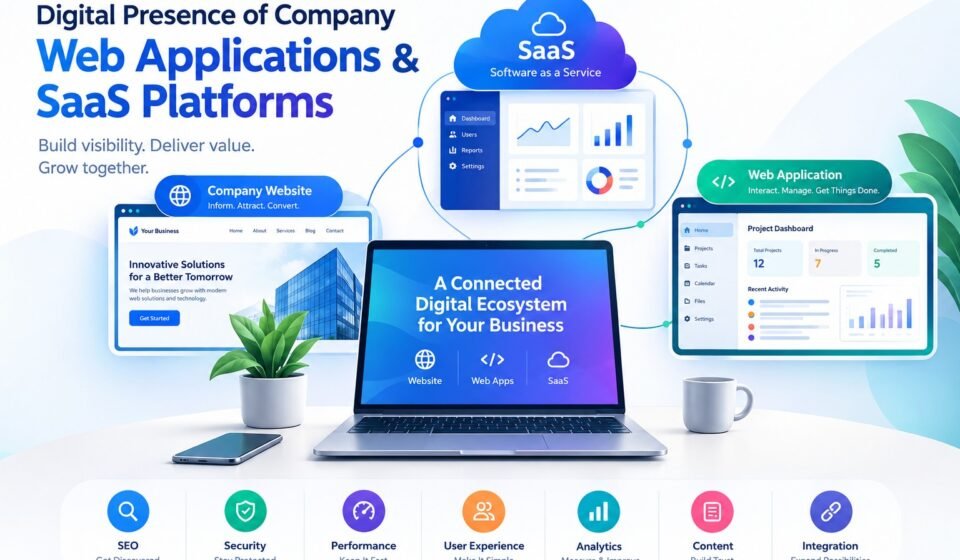

A company’s digital presence is no longer limited to having a basic website with a logo, contact page, and list of services. Modern businesses often operate across several digital layers, including corporate websites, web applications, customer portals, mobile experiences, APIs, social profiles, online communities, and SaaS platforms.
Understanding the digital presence of company web applications saas platforms is particularly important for businesses that depend on the internet to attract customers, deliver services, manage accounts, process transactions, or provide software products.
A strong digital presence connects these different components into one consistent ecosystem. The website may introduce the company, the web application may provide interactive functionality, and the SaaS platform may deliver the actual software service to customers.
According to Google, SEO helps search engines understand websites and helps users discover relevant pages, while good websites should also be secure, fast, accessible, and usable across devices.
What Is a Company’s Digital Presence?
A company’s digital presence is the collection of online assets, platforms, applications, content, and interactions through which people discover, evaluate, communicate with, and use a business.
It can include:
- Company website
- Landing pages
- Blog and educational content
- Web applications
- Customer dashboards
- SaaS platforms
- E-commerce systems
- Mobile applications
- Social media profiles
- Business listings
- Online reviews
- Email marketing
- Knowledge bases
- Help centers
- APIs and integrations
- Online communities
- Search engine results
In simple terms, digital presence represents how a company exists and interacts with people online.
A business might have an attractive website but still have a weak digital presence if customers cannot find it through search, cannot use its application easily, or cannot access reliable support.
Therefore, digital presence involves much more than visual design.
Company Websites, Web Applications, and SaaS Platforms
Three important components of modern digital ecosystems are company websites, web applications, and SaaS platforms.
Although these terms are sometimes used interchangeably, they serve different purposes.
1. Company Website
A company website is generally the public-facing part of a business’s digital presence.
Its purpose may include:
- Explaining what the company does
- Presenting products and services
- Generating leads
- Publishing educational content
- Providing contact information
- Building brand credibility
- Supporting SEO
- Answering customer questions
A website usually contains publicly accessible pages that visitors can browse through a web browser.
MDN defines a website as a collection of web pages grouped together as a single resource, with pages connected through links.
Examples include:
- Corporate websites
- Agency websites
- News websites
- Product websites
- E-commerce websites
- Educational websites
- Service-business websites
The company website is often the first digital touchpoint between a potential customer and a business.
2. Web Applications
A web application is more interactive than a traditional informational website.
Instead of simply reading information, users can perform actions inside the application.
For example, a web application may allow users to:
- Create an account
- Log in
- Upload files
- Manage projects
- Create documents
- Analyze data
- Make payments
- Communicate with other users
- Generate reports
- Manage orders
- Track activities
A web application normally combines a user interface with backend services, databases, authentication, APIs, and business logic.
For example:
Website:
“Our platform helps businesses manage their projects.”
Web application:
User logs in → creates a project → adds team members → uploads files → tracks progress → generates reports.
The website explains the product.
The web application delivers the functionality.
3. SaaS Platforms
SaaS stands for Software as a Service.
Instead of purchasing and installing software locally, customers generally access the software as an ongoing service.
AWS describes SaaS as a business and software delivery model designed around delivering software as a service with goals such as agility and operational efficiency.
Examples of SaaS categories include:
- CRM software
- Project management platforms
- Accounting applications
- Email marketing systems
- SEO tools
- Design platforms
- Collaboration software
- Customer support systems
- Analytics platforms
- HR software
A SaaS company may have several digital layers:
Marketing website → Registration → Login → SaaS application → Customer dashboard → Billing → Support
This creates a connected digital ecosystem rather than a single website.
Why Digital Presence Matters for SaaS Companies
For SaaS businesses, digital presence is especially important because much of the customer journey happens online.
A potential customer might:
- Search Google for a solution.
- Discover the SaaS company’s website.
- Read a blog article.
- Compare features.
- Watch a product demonstration.
- Read customer reviews.
- Visit the pricing page.
- Create a free account.
- Test the application.
- Upgrade to a paid plan.
Every step contributes to the company’s digital presence.
If one part of the journey is poor, the entire experience can suffer.
For example, an excellent SaaS application may struggle to acquire customers if its website cannot attract organic search traffic.
Likewise, a strong marketing website may generate visitors but lose potential customers if registration is complicated or the application performs poorly.
The Relationship Between Website and SaaS Platform
The website and SaaS application should not necessarily be treated as completely separate properties.
They can work together as parts of the same customer journey.
Marketing layer
The website answers:
- What is the product?
- Who is it for?
- What problem does it solve?
- How much does it cost?
- Why should someone consider it?
Conversion layer
The website encourages visitors to:
- Start a trial
- Request a demo
- Register
- Subscribe
- Contact sales
Application layer
The SaaS platform provides:
- User accounts
- Dashboards
- Features
- Data management
- Reports
- Integrations
- Subscription functionality
Support layer
The business may also provide:
- Help center
- Documentation
- Knowledge base
- Chat support
- Tutorials
- Community forums
Together, these components form a broader digital presence.
Important Elements of a Strong Digital Presence
A successful digital ecosystem generally requires several components to work together.
1. Professional Website
The company website should clearly communicate:
- Brand identity
- Product or service value
- Target audience
- Main benefits
- Features
- Pricing
- Trust signals
- Contact options
Visitors should understand the company’s purpose quickly.
2. Search Engine Optimization
SEO helps people discover a company’s digital assets through search engines.
Google explains that SEO involves helping search engines understand content and helping users find a website through search.
For SaaS companies, SEO can target topics throughout the customer journey.
Informational keywords
Examples:
- How project management software works
- What is customer relationship management?
- How to automate invoices
Commercial keywords
Examples:
- Best project management software
- CRM software for small businesses
- Email marketing platform
Product keywords
Examples:
- [Brand] pricing
- [Brand] alternatives
- [Brand] integrations
- [Brand] review
Problem-based keywords
Examples:
- How to automate customer support
- How to manage remote teams
- How to track sales leads
A well-structured content strategy can connect these search intents to relevant pages.
3. High-Quality Content
Content is one of the major components of a company’s digital presence.
A SaaS company can publish:
- Blog articles
- Guides
- Tutorials
- Case studies
- Product documentation
- Industry reports
- Comparison pages
- FAQs
- Templates
- Webinars
- Videos
Google recommends people-first content that provides useful information and a satisfying experience rather than content created primarily to manipulate search rankings.
This means SaaS companies should focus on answering real customer questions rather than simply producing large amounts of keyword-focused content.
4. User Experience
A digital presence must be easy to use.
Important UX factors include:
- Clear navigation
- Readable content
- Simple forms
- Logical page structure
- Mobile compatibility
- Accessible interfaces
- Clear calls to action
- Consistent branding
- Fast interactions
UX becomes even more important inside a SaaS application because customers may use the platform repeatedly.
A confusing website can lose a visitor.
A confusing SaaS interface can lose a customer.
Website Performance and Core Web Vitals
Performance is an important part of digital presence.
Google’s Core Web Vitals currently focus on three user-experience measurements:
- LCP — Largest Contentful Paint: loading performance
- INP — Interaction to Next Paint: responsiveness
- CLS — Cumulative Layout Shift: visual stability
Google’s recommended “good” thresholds include LCP of 2.5 seconds or less, INP of 200 milliseconds or less, and CLS of 0.1 or less, measured at the 75th percentile.
These metrics matter because users expect websites and applications to respond quickly.
For example, a SaaS dashboard that takes several seconds to respond to every interaction can create friction even if the underlying features are powerful.
Web Applications and Performance
Web applications can have additional performance challenges compared with simple websites.
They may depend on:
- JavaScript
- APIs
- Databases
- Authentication services
- Third-party integrations
- Large datasets
- Dynamic content
- Server-side processing
Performance optimization may involve:
- Code splitting
- Caching
- Image optimization
- CDN delivery
- Database optimization
- API optimization
- Lazy loading
- Reducing unnecessary JavaScript
- Efficient server architecture
Google notes that both single-page applications and multi-page applications can provide high-quality experiences; the technology itself is not the deciding factor.
The focus should therefore be on the experience users actually receive.
Security Is Part of Digital Presence
Security is particularly important for web applications and SaaS platforms because they often process customer information.
Potential security concerns include:
- Account takeover
- Unauthorized access
- Data exposure
- Weak authentication
- Insecure APIs
- Cross-site attacks
- Improper access controls
- Data leakage
- Third-party integration risks
SaaS architecture also introduces challenges related to multiple customers or “tenants” using the same underlying system.
AWS identifies areas such as tenant isolation, identity, data partitioning, onboarding, and tenant-aware operations as important SaaS architecture considerations.
A company’s digital presence therefore has to be secure, not merely attractive.
Multi-Tenancy in SaaS Platforms
One of the important concepts in SaaS architecture is multi-tenancy.
In a multi-tenant SaaS environment, multiple customers use the same software platform while their data and access remain appropriately separated.
AWS describes SaaS architecture using concepts such as pooled and siloed resources.
A pooled model can allow multiple tenants to share infrastructure, while a silo model can provide dedicated resources to particular tenants.
The correct approach depends on factors such as:
- Security requirements
- Cost
- Performance
- Compliance
- Customer requirements
- Scalability
- Operational complexity
For a growing SaaS company, architecture decisions can directly influence its ability to scale.
Identity and Authentication
Users need a secure way to access web applications.
Common authentication mechanisms include:
- Email and password
- Single sign-on
- Social login
- Multi-factor authentication
- Passkeys
- Enterprise identity providers
Authentication is only one part of access management.
A SaaS platform must also determine what an authenticated user is allowed to do.
For example:
User A
- View personal projects
- Edit assigned projects
Manager
- View team projects
- Manage team members
Administrator
- Manage organization settings
- Manage billing
- Control user permissions
This separation helps prevent unauthorized access.
APIs and Integrations
Modern SaaS platforms rarely operate completely alone.
They often integrate with other systems through APIs.
Examples include:
- Payment gateways
- CRM platforms
- Email services
- Accounting software
- Analytics systems
- Cloud storage
- Communication tools
- Marketing platforms
- AI services
Integrations can expand the usefulness of a SaaS product because customers can connect it with tools they already use.
However, integrations also create additional technical and security responsibilities.
Branding Across the Digital Ecosystem
A company’s digital presence should feel consistent.
Brand consistency can include:
- Logo
- Colors
- Typography
- Voice
- Navigation
- Visual components
- Product terminology
- Messaging
For example, a customer should not feel like they have entered an entirely different company when moving from:
Company website → Login → Dashboard → Billing → Help center
A design system can help maintain consistency across websites and applications.
Mobile Experience
A company’s digital presence must account for mobile users.
This applies to:
- Websites
- Landing pages
- Registration
- Customer dashboards
- SaaS applications
- Documentation
- Checkout pages
Responsive design allows interfaces to adapt to different screen sizes.
For complex SaaS products, responsive web design may be supplemented by a dedicated mobile application when the use case requires it.
Accessibility
Accessibility allows people with different abilities to interact with websites and applications.
Important considerations include:
- Keyboard navigation
- Text alternatives for images
- Sufficient contrast
- Proper form labels
- Logical headings
- Accessible buttons
- Screen-reader compatibility
- Focus indicators
Accessibility is not simply a compliance concern. It can also improve usability for many users.
Analytics and Measurement
A company cannot effectively improve its digital presence without measuring performance.
Useful metrics can include:
Website metrics
- Organic traffic
- Direct traffic
- Referral traffic
- Engagement
- Conversion rate
- Landing-page performance
- Search impressions
- Click-through rate
SaaS metrics
- Sign-ups
- Activation rate
- Trial-to-paid conversion
- Monthly recurring revenue
- Customer acquisition cost
- Customer lifetime value
- Churn
- Retention
- Feature adoption
The exact metrics should depend on the business model and goals.
Search Console and SEO Monitoring
For websites that depend on organic search, Google Search Console can provide important information.
Google describes Search Console as a tool that helps site owners and SEO professionals understand how their websites perform in Google Search.
It can help identify:
- Search queries
- Impressions
- Clicks
- Average position
- Indexing problems
- Technical issues
- Search appearance
- Structured-data-related information
This makes it useful for monitoring the public-facing part of a SaaS company’s digital presence.
Structured Data and Search Appearance
Search engines need to understand the meaning and structure of website content.
Google states that structured data can provide explicit clues about page meaning and can make a site eligible for certain richer search features.
Depending on the page, businesses may use appropriate structured data for things such as:
- Organization information
- Articles
- Products
- Software applications
- Breadcrumbs
- Reviews where eligible
Structured data should accurately represent the visible content and follow search-engine guidelines.
How SaaS Companies Can Build a Strong Digital Presence
A practical strategy can be divided into several stages.
Step 1: Define the Target Audience
Identify:
- Who uses the product?
- What problem are they trying to solve?
- What industry are they in?
- What level of technical knowledge do they have?
- What alternatives do they currently use?
Without a clear audience, website messaging can become too generic.
Step 2: Build the Website Foundation
Create essential pages such as:
- Homepage
- Product pages
- Features
- Pricing
- About
- Contact
- Resources
- Documentation
- FAQ
- Security
- Privacy
- Terms
The exact structure depends on the business.
Step 3: Create the Application Experience
The application should make the product’s promised value easy to experience.
Important areas include:
- Registration
- Onboarding
- Dashboard
- Core functionality
- Account management
- Billing
- Notifications
- Support
AWS emphasizes frictionless onboarding as an important consideration in SaaS environments.
Step 4: Develop a Search Strategy
Research topics based on:
- Customer problems
- Product categories
- Industry terminology
- Competitor alternatives
- Long-tail searches
- Commercial searches
- Informational questions
Then connect those topics to appropriate website pages.
Step 5: Improve Technical Performance
Monitor:
- Page speed
- Core Web Vitals
- Server response time
- JavaScript execution
- API performance
- Database performance
- Mobile performance
Performance should be monitored continuously rather than treated as a one-time development task.
Step 6: Protect the Platform
Implement appropriate:
- Authentication
- Authorization
- Encryption
- Secure API practices
- Access controls
- Monitoring
- Logging
- Backup procedures
- Vulnerability management
Cloudflare’s 2026 SaaS security guidance emphasizes protecting application access, controlling data movement, and maintaining visibility into SaaS applications.
Common Mistakes Companies Make
1. Treating the Website as the Entire Digital Presence
A website is only one component.
The complete ecosystem can include applications, search visibility, social channels, reviews, documentation, and customer experiences.
2. Designing for Search Engines Instead of People
Keyword optimization is useful, but content should primarily solve user problems.
Google explicitly recommends people-first content and warns against creating content primarily to attract search traffic.
3. Ignoring Application Performance
A beautiful SaaS interface can still frustrate users if it responds slowly.
Performance should be measured using real-world user data where possible.
4. Complicated Registration
If users must complete too many steps before experiencing the product, conversion can suffer.
SaaS companies should evaluate the onboarding process carefully.
5. Inconsistent Branding
Different visual styles across the website, application, documentation, and support center can make the company appear fragmented.
6. Ignoring Security
Security should be considered during architecture, development, deployment, and ongoing operations.
It should not be added only after a security incident.
7. Publishing Content Without a Strategy
Publishing dozens of unrelated articles does not automatically create a strong digital presence.
Content should support:
- Customer needs
- Search intent
- Product education
- Brand authority
- Conversions
- Retention
Website vs Web Application vs SaaS Platform
| Feature | Company Website | Web Application | SaaS Platform |
|---|---|---|---|
| Main purpose | Information and marketing | Interactive functionality | Deliver software as a service |
| Public access | Usually | Sometimes | Usually limited after login |
| Login required | Usually no | Often | Usually |
| User accounts | Optional | Common | Core feature |
| Database | May be used | Usually | Usually |
| Payments | Sometimes | Sometimes | Common |
| Multi-tenancy | Usually not relevant | Possible | Common |
| SEO importance | Very high | Depends on public content | High for marketing site |
| Application logic | Limited | Significant | Extensive |
| Customer dashboard | Optional | Common | Core component |
| Continuous updates | Yes | Yes | Essential |
The boundaries can overlap. A modern company may combine all three into one connected ecosystem.
The Future of Digital Presence for SaaS Companies
The digital presence of companies is becoming increasingly interconnected.
Businesses are combining:
- Websites
- SaaS applications
- APIs
- AI features
- Automation
- Analytics
- Customer communities
- Mobile applications
- Search
- Personalized experiences
AI is also becoming part of many SaaS products, from automated customer support to content generation, analytics, recommendations, and workflow automation.
However, adding more technology does not automatically create a better digital presence.
The technology needs to support a clear customer experience and business objective.
AWS similarly emphasizes that SaaS is fundamentally a business model and that technology decisions should support objectives such as agility, operational efficiency, growth, and customer value.
A Practical Digital Presence Checklist
Before considering a company’s digital ecosystem complete, review the following:
Website
- Professional design
- Clear value proposition
- Mobile-friendly layout
- Fast loading
- Clear navigation
- Strong calls to action
- Useful content
- Contact information
SEO
- Keyword research
- Search-friendly URLs
- Descriptive titles
- Meta descriptions
- Internal linking
- Structured data where appropriate
- XML sitemap
- Search Console monitoring
- Indexing checks
Google recommends descriptive titles and meta descriptions and provides tools for checking crawling, indexing, and search visibility.
Web Application
- Secure authentication
- Clear navigation
- Fast interactions
- Responsive interface
- Error handling
- Account management
- Data protection
- Monitoring
SaaS Platform
- Tenant management
- Tenant isolation
- User permissions
- Onboarding
- Billing
- Usage tracking
- Analytics
- Backup strategy
- Scalability
- Security monitoring
Frequently Asked Questions
What is the digital presence of a company?
A company’s digital presence is the collection of its online websites, applications, SaaS products, social profiles, search visibility, content, reviews, and other digital touchpoints through which customers interact with the business.
Are websites and web applications the same?
No. A website primarily provides information or marketing content, while a web application allows users to perform interactive tasks such as managing accounts, analyzing information, creating content, or processing transactions.
What is a SaaS platform?
A SaaS platform is software delivered as an ongoing service, generally through the internet. Customers typically access the application through a browser or another supported interface rather than installing and maintaining the entire software system themselves.
Why is SEO important for SaaS companies?
SEO can help potential customers discover a company’s website when they search for problems, solutions, products, or software categories. Google describes SEO as helping search engines understand content and helping users find websites through search.
Does a SaaS platform need a separate website?
Not necessarily. A SaaS business can combine its marketing website and application under the same domain or use separate subdomains or domains. The best structure depends on technical, branding, SEO, security, and product requirements.
What makes a SaaS digital presence successful?
A strong SaaS digital presence generally combines clear messaging, useful content, search visibility, good UX, reliable performance, secure architecture, effective onboarding, analytics, and consistent customer support.
How can companies measure their digital presence?
Companies can monitor metrics such as organic search traffic, impressions, clicks, conversions, registrations, activation, retention, revenue, customer acquisition cost, churn, application performance, and customer engagement.
Conclusion
The digital presence of company web applications saas platforms should be viewed as an interconnected ecosystem rather than a collection of unrelated online assets.
A company website can attract and educate visitors. SEO can help people discover the business. Web applications can provide interactive functionality. SaaS platforms can deliver software continuously to customers. Analytics can reveal how users behave, while security and performance help maintain a reliable experience.
The most effective approach is to connect these components around the needs of the customer.
A company does not build a strong digital presence simply by launching a website or SaaS application. It builds one by creating a consistent, discoverable, secure, accessible, and useful experience across every digital touchpoint.
For companies investing in web applications and SaaS products, digital presence should therefore be treated as an ongoing business and technology strategy, not a one-time website project.