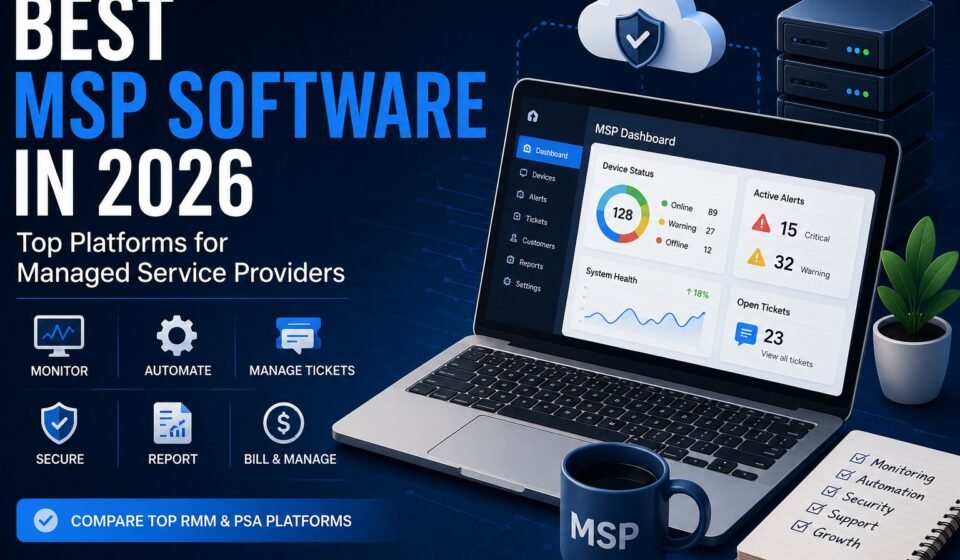

Choosing the best MSP software can have a major impact on how efficiently a managed service provider operates. The right platform can help technicians monitor devices, automate routine tasks, manage support tickets, protect customer environments, track contracts, and handle billing from a centralized system.
However, there is no single MSP software platform that is perfect for every provider. Before comparing individual platforms, it helps to understand what MSP software is, how it works, and which types of tools MSPs use.
A small MSP with five technicians may prioritize simplicity and predictable pricing, while a larger provider may need advanced automation, complex billing, multi-client management, detailed reporting, and integrations with dozens of other systems.
This guide compares some of the leading MSP software platforms available in 2026 and explains what each one is best suited for.
Quick Answer: What Is the Best MSP Software?
The best MSP software depends on your business size, service model, technical requirements, and budget.
Some of the major platforms worth evaluating in 2026 include:
- NinjaOne — strong unified platform for RMM and MSP operations
- ConnectWise — powerful option for established MSPs with complex operations
- Atera — all-in-one platform with RMM and PSA capabilities
- Syncro — integrated RMM and PSA platform for MSPs
- SuperOps — modern MSP platform focused heavily on automation and AI
- Datto RMM — established RMM option within the Kaseya ecosystem
- N-able N-central — powerful RMM and management capabilities for more complex environments
- ManageEngine MSP Central — broad MSP management option within the ManageEngine ecosystem
The best choice depends on which capabilities your MSP actually needs rather than simply choosing the platform with the longest feature list.
What Should the Best MSP Software Include?
Before comparing specific platforms, it helps to understand what you’re actually buying.
MSP software can refer to an individual tool, such as an RMM platform, or a broader system that combines RMM, PSA, automation, security, backup, reporting, and other capabilities.
The most important features to evaluate include:
Remote Monitoring and Management
RMM is one of the core technologies used by MSPs.
It allows technicians to monitor and manage customer endpoints, servers, networks, and other IT infrastructure remotely.
Important RMM capabilities include:
- Device monitoring
- Alerting
- Patch management
- Remote access
- Software deployment
- Automation
- Scripting
- Hardware and software inventory
- Policy management
A good RMM platform should help technicians identify problems before they become major customer issues.
Professional Services Automation
PSA software manages the business and service-delivery side of an MSP.
Common capabilities include:
- Ticket management
- Time tracking
- Contracts
- Service-level agreements
- Scheduling
- Project management
- Billing
- Invoicing
- Reporting
- Customer management
For example, an RMM system might detect a problem on a customer’s computer, while the PSA platform creates a ticket, assigns it to a technician, tracks the work, and connects the completed service to billing.
Automation
Automation is becoming increasingly important for MSPs.
Modern platforms can automate repetitive activities such as:
- Patching
- Monitoring
- Alerting
- Ticket creation
- Device configuration
- Maintenance
- Reporting
- Script execution
Automation can allow a small technical team to support more endpoints without increasing manual work at the same rate.
Multi-Client Management
An MSP usually manages multiple organizations.
Therefore, the software needs to provide clear separation between customers while allowing technicians to manage different environments from a centralized interface.
This is one of the major differences between general IT management tools and software designed specifically for MSPs.
Integrations
Your MSP probably already uses accounting, security, backup, documentation, communication, and productivity tools.
Therefore, integrations can be just as important as the features built directly into the MSP platform.
Look for integrations with the applications your business already depends on rather than assuming that every platform will connect to your existing stack.
Best MSP Software in 2026
1. NinjaOne — Best for Unified MSP Management
NinjaOne is one of the strongest options to consider if you want a modern platform centered around endpoint management and MSP operations.
Its MSP platform includes RMM, remote access, backup, PSA, endpoint security, MDM, and related capabilities. NinjaOne also offers a PSA designed to bring billing, ticketing, documentation, and IT asset management together with its RMM platform.
Key features
- Remote monitoring and management
- Patch management
- Remote access
- Automation
- Backup
- PSA capabilities
- Ticketing
- Documentation
- IT asset management
- Endpoint security
- MDM
One advantage is the emphasis on connecting technical and business workflows.
For example, technicians can work with device information and service tickets while business processes such as contracts and billing can be connected to the same operational environment.
Best for
NinjaOne is worth considering for MSPs that want a modern, unified platform with strong RMM capabilities and expanding PSA functionality.
Its PSA became generally available in Q1 2026 and includes billing, ticketing, documentation, and IT asset management.
2. ConnectWise — Best for Established MSPs
ConnectWise is a long-established name in the MSP software market and offers a broad ecosystem covering PSA, RMM, cybersecurity, remote access, automation, backup, documentation, and other MSP operations.
In July 2026, ConnectWise announced the general availability of its ConnectWise Platform, which brings together PSA, RMM, remote access, cybersecurity, automation, AI agents, documentation, billing, backup, and integrations.
Key features
- PSA
- RMM
- Remote access
- Ticket management
- Automation
- Billing
- Documentation
- Cybersecurity
- Backup
- AI-powered capabilities
- Third-party integrations
ConnectWise PSA is designed to handle workflows ranging from tickets and projects to time tracking and billing.
Best for
ConnectWise is particularly worth considering for established MSPs that need extensive functionality, integrations, and support for complex service operations.
Its breadth can also mean that implementation and administration require more planning than a simpler all-in-one platform.
3. Atera — Best for an All-in-One Approach
Atera takes an all-in-one approach by bringing multiple MSP functions together rather than requiring businesses to assemble every component separately.
Its platform provides RMM, PSA, help desk, remote support, billing, and reporting capabilities. Atera’s documentation also describes its agent-based monitoring approach for workstations and servers.
Key features
- RMM
- PSA
- Help desk
- Remote support
- Billing
- Reporting
- Monitoring
- Alerts
- IT management
Best for
Atera can be a strong option for MSPs and IT teams looking for a consolidated platform rather than a large collection of separate products.
Its all-in-one approach can be especially attractive to smaller teams that want to reduce the complexity of managing multiple systems.
4. Syncro — Best for Integrated RMM and PSA
Syncro is another platform designed specifically around the needs of MSPs.
One of its main attractions is the combination of RMM and PSA functionality, allowing technical management and business operations to work within the same platform.
Key features
- RMM
- PSA
- Remote access
- Ticketing
- Automation
- Scripting
- Asset management
- Reporting
- Billing
- Integrations
Best for
Syncro is worth considering for small and growing MSPs that want RMM and PSA functionality closely connected.
It can reduce the need to manage completely separate systems for monitoring and service management.
However, MSPs with highly specialized enterprise workflows should carefully evaluate whether its capabilities match their operational complexity before switching.
5. SuperOps — Best for Modern Automation
SuperOps is a newer-generation MSP platform that focuses heavily on combining RMM, PSA, automation, and AI-driven capabilities.
The platform is designed around the idea of reducing the number of disconnected tools an MSP needs to operate.
Key features
- RMM
- PSA
- Ticketing
- Asset management
- Automation
- Remote management
- Policy management
- Reporting
- AI-assisted workflows
Best for
SuperOps is worth evaluating if automation and modern AI capabilities are important parts of your MSP technology strategy.
AI and automation are becoming increasingly important across the MSP industry as providers look for ways to reduce repetitive technician work and respond to issues faster.
However, MSPs should evaluate the actual workflows they can automate rather than choosing a platform simply because it advertises AI features.
6. Datto RMM — Best for MSPs in the Kaseya Ecosystem
Datto RMM is an established remote monitoring and management platform used by MSPs.
It focuses heavily on monitoring, management, automation, and endpoint administration.
Datto is part of Kaseya’s broader MSP technology ecosystem, which can be useful for providers already using other Kaseya products.
Key features
- Remote monitoring
- Endpoint management
- Patch management
- Automation
- Device management
- Alerting
- Reporting
- Integration with other MSP tools
Datto RMM continues to receive updates. In September 2026, Kaseya announced upcoming compliance and Apple device management capabilities for Datto RMM, including native Apple MDM functionality and FIPS 140-3 validated cryptography planned for October.
Best for
Datto RMM is worth considering for MSPs that already operate within the Kaseya ecosystem or need a mature RMM platform.
7. N-able N-central — Best for Complex MSP Environments
N-able N-central is designed for remote monitoring and management at scale.
RMM platforms such as N-central are particularly useful for MSPs that need centralized visibility across large numbers of endpoints, servers, and networks.
Key features
- RMM
- Monitoring
- Patch management
- Automation
- Remote access
- Network management
- Endpoint management
- Security integrations
- Reporting
Best for
N-able N-central can be a strong option for MSPs with more complex technical environments that need extensive monitoring and automation capabilities.
Its strength is less about being a simple all-in-one business application and more about providing powerful technical management capabilities.
8. ManageEngine MSP Central — Best for Broad IT Management
ManageEngine offers a broad collection of IT management products, and MSP Central is designed to bring MSP-oriented management capabilities together.
It can be attractive to providers that want access to a wider IT management ecosystem.
Key features
- Endpoint management
- Patch management
- Remote management
- Monitoring
- Automation
- Asset management
- Reporting
- Security-related capabilities
Best for
ManageEngine MSP Central is worth considering for providers that want broad IT management functionality and already use or plan to use products from the ManageEngine ecosystem.
MSP Software Comparison
| MSP Software | Best For | RMM | PSA | Automation | Platform Approach |
|---|---|---|---|---|---|
| NinjaOne | Unified MSP management | Core | Available | Strong | Unified platform |
| ConnectWise | Established MSPs | Core | Core | Strong | Broad ecosystem |
| Atera | All-in-one simplicity | Core | Core | Available | All-in-one |
| Syncro | RMM + PSA | Core | Core | Available | Integrated platform |
| SuperOps | Modern automation | Core | Core | Strong | All-in-one |
| Datto RMM | Kaseya ecosystem | Core | Via ecosystem | Available | Ecosystem |
| N-able N-central | Complex environments | Core | Via integrations | Strong | Integrated ecosystem |
| ManageEngine MSP Central | Broad IT management | Core | Available | Available | Broad platform |
This table is a high-level comparison. Feature availability, integrations, and packaging can change, so MSPs should verify the current vendor documentation before making a purchasing decision.
How to Choose the Best MSP Software
The best MSP platform isn’t necessarily the one with the most features. Understanding the different types of MSP software can also help you decide which capabilities your business actually needs.
Instead, start with your actual operational requirements.
1. Define Your MSP’s Size
A two-person MSP may not need the same platform as a provider with 100 technicians.
Consider:
- Number of technicians
- Number of customers
- Number of endpoints
- Expected growth
- Technical complexity
2. Decide Whether You Need RMM, PSA, or Both
If your biggest requirement is endpoint monitoring and management, prioritize RMM capabilities.
Or if your biggest problem is ticketing, contracts, time tracking, and billing, prioritize PSA functionality.
If you need both, look for a platform where the two systems integrate cleanly.
3. Evaluate Automation
Ask what the platform can actually automate.
For example:
- Can it automatically create tickets?
- Can it deploy patches?
- Can it run scripts?
- Can it remediate common problems?
- Can it automate reports?
- Can it connect technical events with PSA workflows?
These questions are more useful than simply asking whether a vendor offers “AI.”
4. Check Integrations
Make a list of the tools you already use.
Your MSP software may need to connect with:
- Accounting software
- Backup platforms
- Security products
- Documentation systems
- Microsoft 365
- Remote access tools
- CRM systems
- Communication platforms
A platform with fewer native features but better integrations can sometimes be more useful than an enormous all-in-one system.
5. Consider Security
Your MSP may have privileged access to customer systems.
Therefore, security should be a major purchasing criterion.
Look for:
- Multi-factor authentication
- Role-based access
- Audit logs
- Encryption
- Permission management
- Secure remote access
- Security certifications and controls
6. Think About Scalability
Don’t choose software only for today’s requirements.
If you plan to double your customer base, make sure the platform can support that growth without creating excessive administrative work.
7. Test Before Committing
Whenever possible, use a trial or demonstration before making a long-term commitment.
Give technicians real workflows to test instead of simply watching a sales presentation.
For example, ask your team to:
- Add a test client.
- Deploy the agent.
- Monitor a device.
- Create a ticket.
- Run an automated task.
- Track technician time.
- Generate a report.
- Test billing or contract workflows.
This will reveal problems that may not be obvious during a product demonstration.
Is All-in-One MSP Software Better?
Not necessarily.
An all-in-one platform can reduce the number of applications your team has to manage, but specialized tools can sometimes provide deeper functionality.
For example, an MSP might prefer:
- One RMM platform
- A separate PSA
- A dedicated backup platform
- A specialized security solution
- A dedicated documentation system
Another MSP might prefer a single platform that handles most of these requirements.
The right choice depends on your operational model.
Best MSP Software for Small MSPs
Small MSPs generally benefit from simplicity.
A smaller provider may want to avoid managing five or six disconnected systems.
Platforms such as Atera, Syncro, NinjaOne, and SuperOps are worth evaluating when simplicity, automation, and integrated functionality are priorities.
However, there is no universal winner.
A small MSP that needs sophisticated PSA workflows may choose differently from a small provider that mainly needs RMM and remote support.
Best MSP Software for Large MSPs
Larger MSPs typically have more complicated requirements.
They may need:
- Advanced PSA workflows
- Complex contracts
- Detailed reporting
- Extensive integrations
- Multi-team permissions
- Advanced automation
- Sophisticated billing
- Large-scale endpoint management
Platforms such as ConnectWise, Datto/Kaseya, and N-able may be worth considering for more complex environments.
The final decision should be based on the provider’s exact requirements rather than company size alone.
Final Verdict: Which MSP Software Should You Choose?
There is no single platform that deserves to be called the best MSP software for every business.
Instead, the right choice depends on what you need to accomplish.
NinjaOne is a strong choice for providers looking for a modern unified platform with RMM and expanding PSA capabilities.
ConnectWise is worth considering for established MSPs that need a broad ecosystem and sophisticated operational capabilities.
Atera can appeal to providers looking for an all-in-one approach.
Syncro is a strong option for MSPs that want RMM and PSA capabilities closely connected.
SuperOps is worth evaluating if automation and AI are major priorities.
Datto RMM makes sense for providers operating within the Kaseya ecosystem.
N-able N-central is suitable for MSPs that prioritize powerful RMM and technical management capabilities.
ManageEngine MSP Central is worth considering for providers looking for broad IT management capabilities.
The most important step is to evaluate your own workflows before choosing a platform. The best MSP software should make it easier to monitor customers, resolve problems, automate repetitive work, manage service delivery, and ultimately scale your MSP without creating unnecessary complexity.
Frequently Asked Questions
What is the best MSP software in 2026?
There is no single best platform for every MSP. NinjaOne, ConnectWise, Atera, Syncro, SuperOps, Datto RMM, N-able N-central, and ManageEngine MSP Central are among the platforms worth evaluating based on different requirements.
What software do MSPs use?
MSPs commonly use RMM, PSA, backup, cybersecurity, remote access, documentation, ticketing, and network monitoring software. Some modern platforms combine several of these functions.
What is the difference between MSP software and RMM software?
MSP software is a broad term that can include RMM, PSA, backup, security, ticketing, automation, and other capabilities. RMM specifically focuses on remotely monitoring and managing IT systems.
Do small MSPs need MSP software?
Yes. Even a small MSP can benefit from centralized monitoring, automation, ticket management, remote access, and reporting. The key is choosing software that matches the size and complexity of the business.
Should an MSP choose all-in-one software?
An all-in-one platform can simplify operations, but it isn’t automatically the best choice. Some MSPs benefit from specialized tools connected through integrations, while others prefer one unified platform.
How much does MSP software cost?
Pricing varies significantly between vendors and depends on factors such as the number of devices, users, technicians, modules, and services included. Some providers use per-device pricing, while others use per-technician or other pricing models. Current software directories show substantial variation between entry-level and advanced MSP platforms.
What should I look for in MSP software?
Prioritize the features that directly affect your operations, including RMM, PSA, automation, multi-client management, integrations, security, reporting, scalability, and ease of use.